
Customer support
See every customer who is still waiting on you
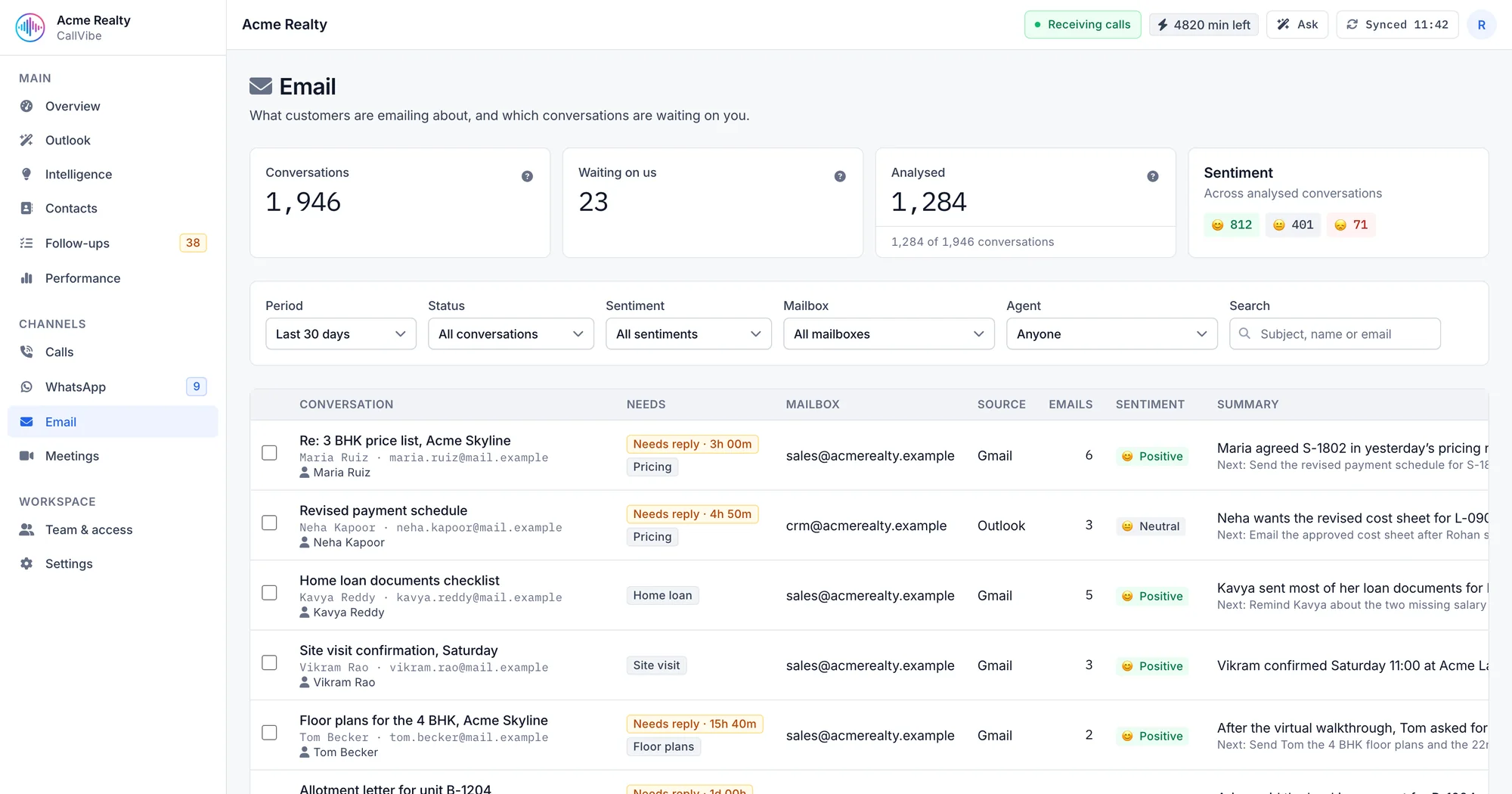
Calls, WhatsApp chats and emails waiting on your team, in one place, with how long each customer has waited and what they need.
Sound familiar?
Support suffers in the gaps between channels.
Missed calls stay missed
A customer called twice, nobody called back, and they’ve now complained on WhatsApp.
Waiting is invisible
Shared inboxes and team WhatsApp numbers hide who has waited longest.
Repeat issues go unnoticed
The same problem comes up all week and nobody sees the pattern until Friday.
Context
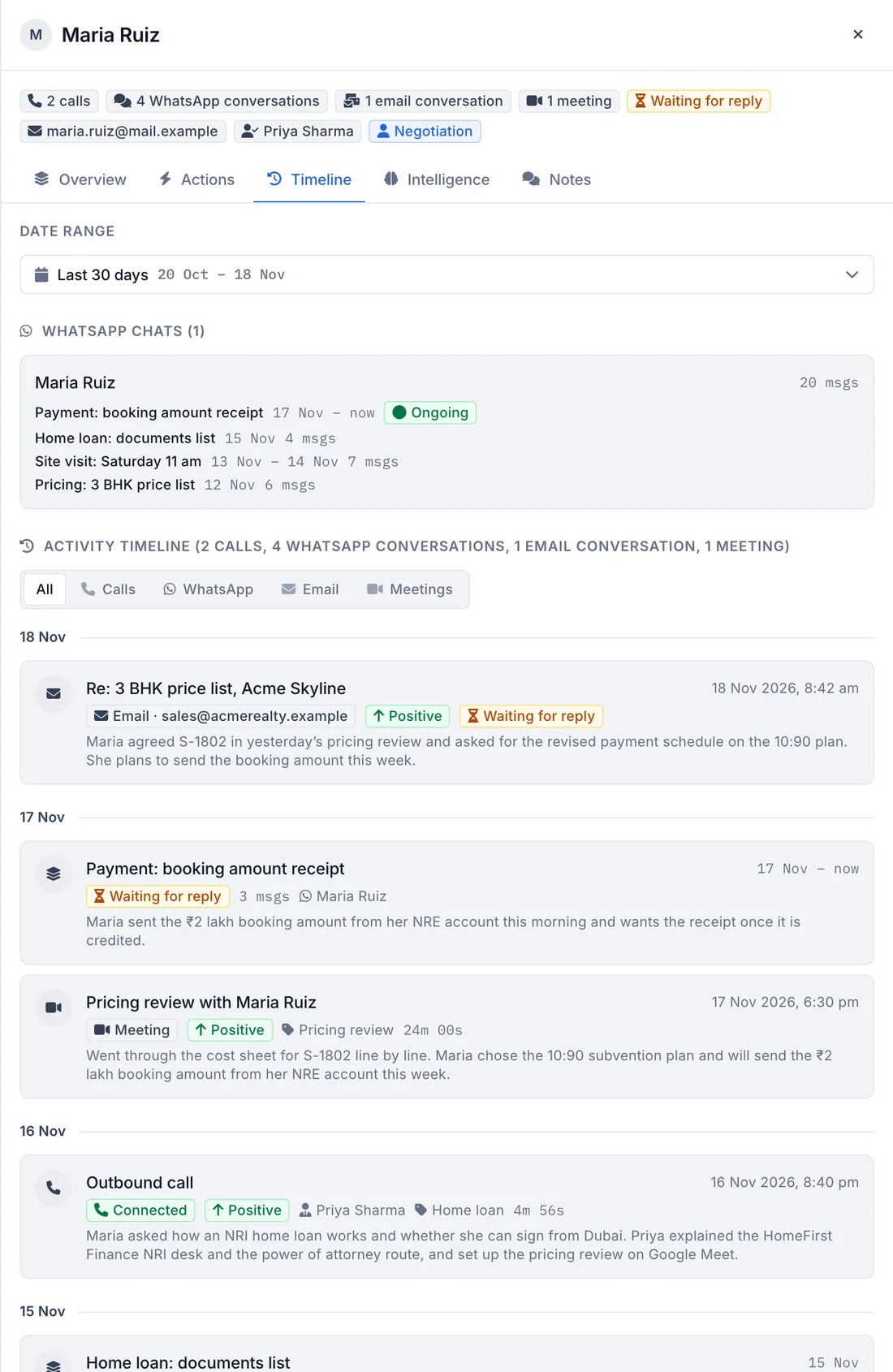
One customer, every channel
Before replying, see the customer’s last call, WhatsApp topics and emails together, so nobody asks them to repeat themselves.
Patterns
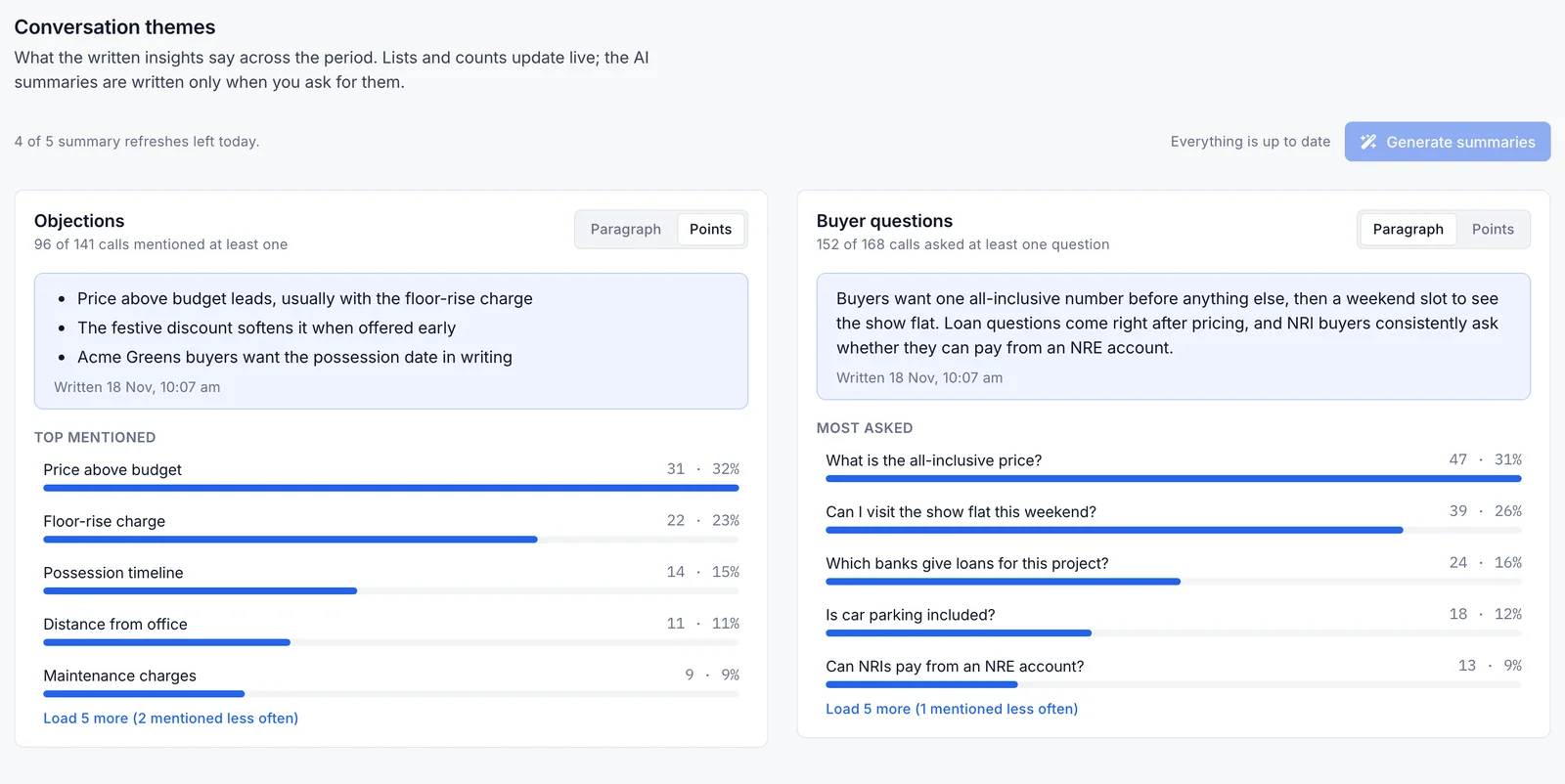
Spot the problem behind the tickets
Conversation themes group the questions and complaints that keep coming up, so you can fix the cause.
How CallVibe helps
Waiting customers first, patterns second
Callback queue
Who tried to reach you and didn’t get through, and who is still waiting.
Needs-reply flags
WhatsApp chats and emails where the customer spoke last, with how long they’ve waited.
Slack alerts
Missed calls and flagged conversations posted to your team channel.
Themes
The issues and questions that keep coming up, with the calls behind them.
Support scorecards
Score issue resolution and communication clarity on every call.
Key customers
Mark your most important customers so they stand out everywhere.
FAQ
Common questions
Can agents reply from CallVibe?
No. Your team keeps replying from the phone, WhatsApp and email. CallVibe shows who is waiting and helps draft the reply.
Keep exploring
See CallVibe on your own conversations
Book a 30-minute walkthrough with our team, or start a 14-day free trial and connect your phone system yourself.