
Contacts & timeline
Every customer’s whole story, in one place
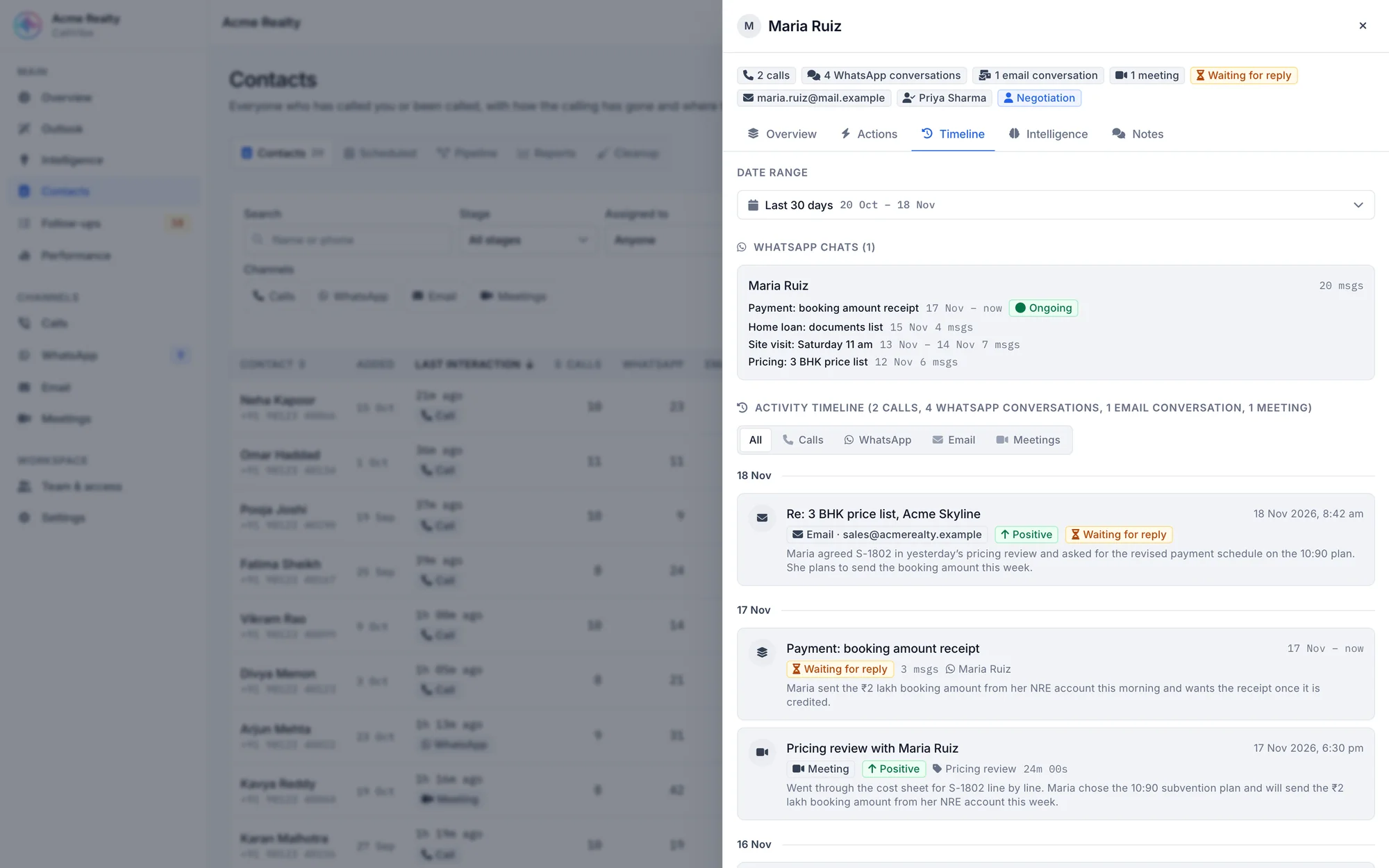
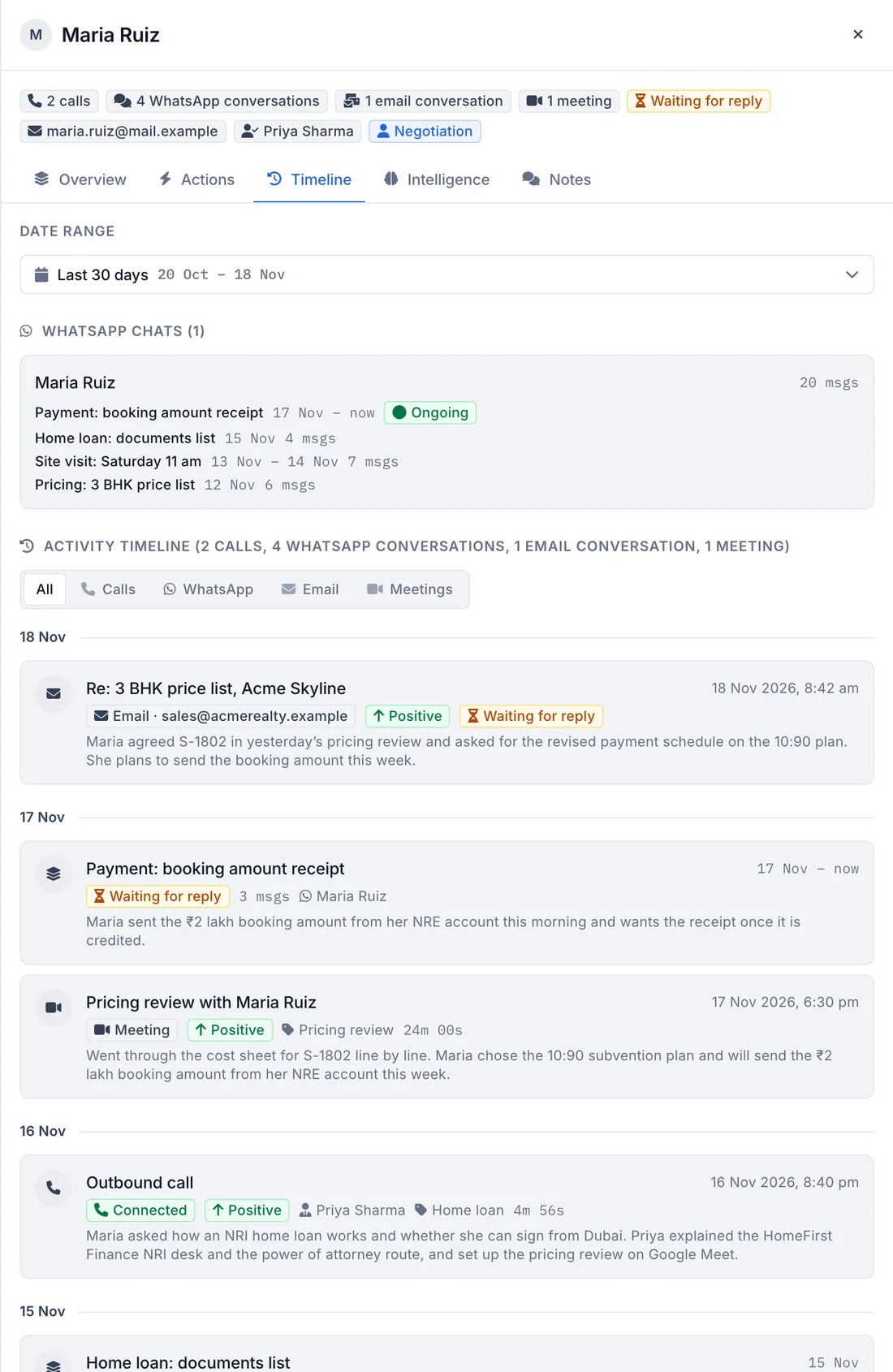
Calls, WhatsApp topics, email threads and meetings land on one timeline per customer, in date order. Open a contact and you know what was said, what was promised and where they stand.
Timeline
One timeline across every channel
Filter by calls, WhatsApp, email or meetings, or read it all in order. Each item has its summary, sentiment and the agent who handled it.
- Linked automatically on an exact phone, email or WhatsApp ID match
- Meetings linked through invitee email addresses
- A summary of everything the customer has said, on request, with links to sources
Pipeline
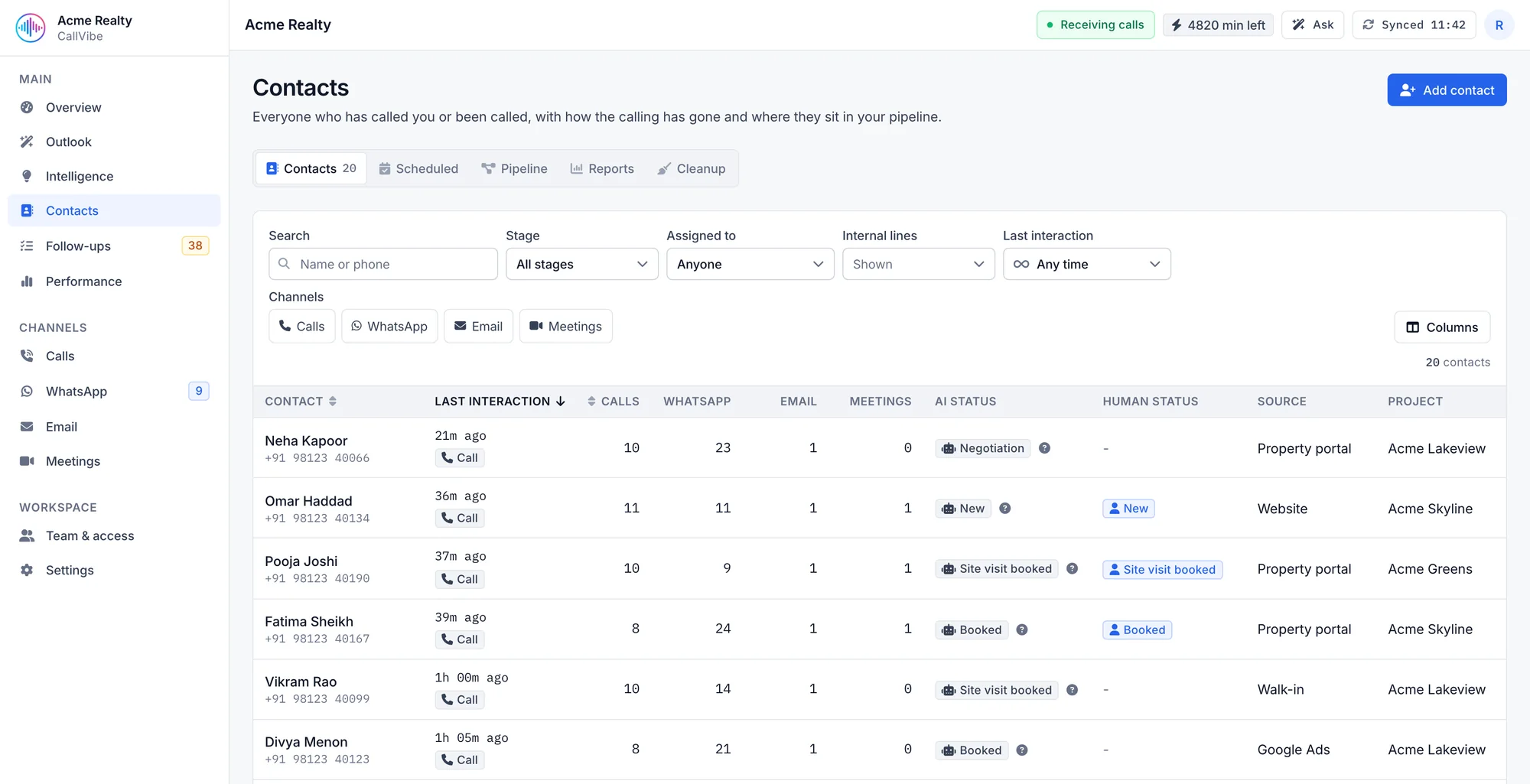
Know where every customer stands
CallVibe suggests a stage for each contact from their calls. Your team can set their own, and the human choice always wins. See both side by side.
- Pipeline board with Final, AI and Human views
- Your own stages, with a recommended set to start from
- New contacts assigned to the rep who handled the call
Details
The parts that make it reliable
Callbacks schedule themselves
When a customer asks to be called at a time, the callback lands in Scheduled with a note. A date you set by hand is never overwritten.
A clean-up queue, not guesswork
Possible duplicates, unlinked WhatsApp chats and possible internal lines are queued for an owner. Merges can be undone.
Your own fields
Add text, number, dropdown, date or yes/no fields, and mark the ones your team must fill in.
Notes everyone can see
A shared notes thread on every contact, with system notes when callbacks are scheduled.
Key customers and internal lines
Mark key customers and top-priority leads, and keep staff numbers out of your analytics.
Reports
Agent performance by category, lead status distribution and a summary, ready to share.
FAQ
Common questions
How does CallVibe decide two conversations are the same customer?
Only an exact identifier match links them automatically: a phone number, email address, WhatsApp ID or CRM ID. Placeholder names like “Unknown” are never used as evidence.
Who can merge contacts?
Owners merge and undo merges. Anyone on the team can link a chat to a contact or flag a possible duplicate for the owner’s queue.
Do I still need my CRM?
Many teams use CallVibe as their pipeline. If you already use GoHighLevel or LeadSquared, CallVibe pushes call outcomes into it after every call.
Keep exploring
See CallVibe on your own conversations
Book a 30-minute walkthrough with our team, or start a 14-day free trial and connect your phone system yourself.