
Daily Outlook
Start every day knowing who needs you
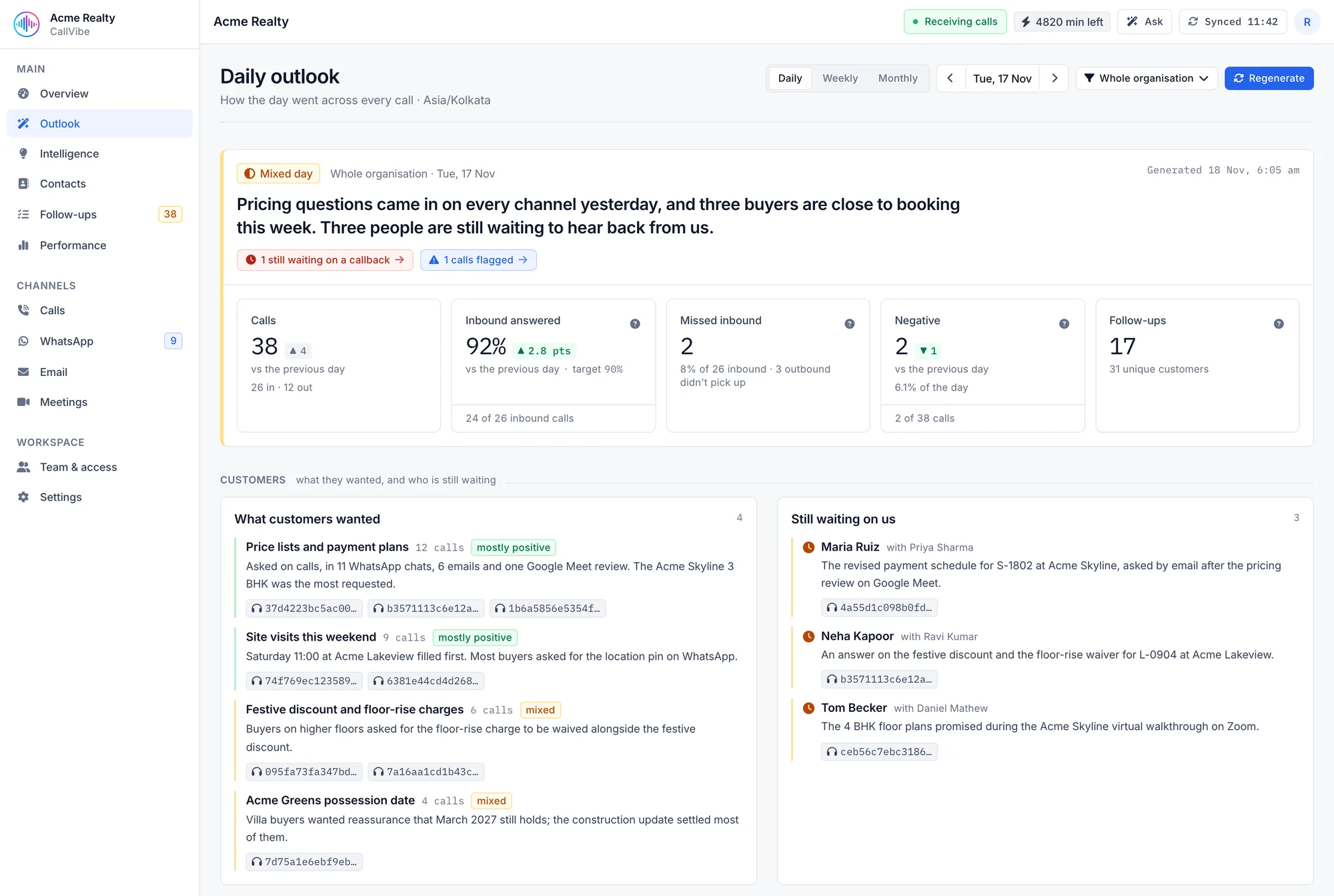
Each night CallVibe reads the day’s calls and meetings and writes a short brief for the whole business, every team and every rep: what customers wanted, who is still waiting and what to do next.
Customers
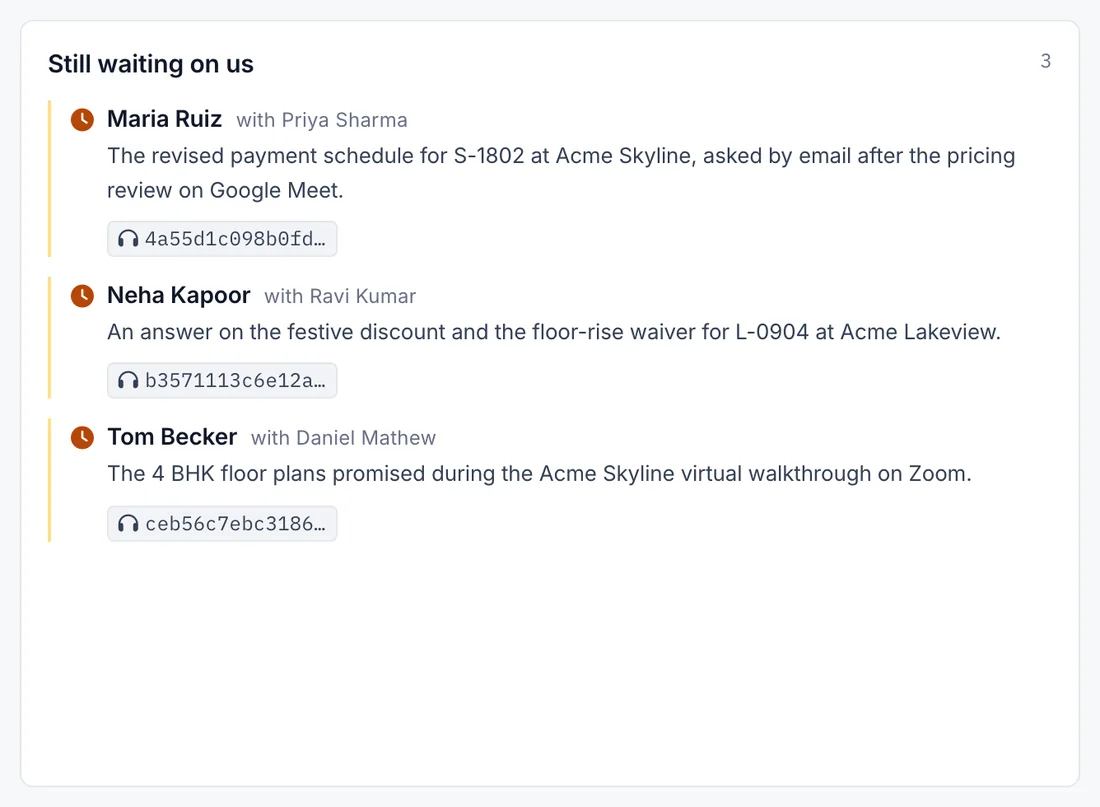
Still waiting on us
The customers who were promised something and haven’t heard back, with who owns each one. This is the list to clear before lunch.
- What exactly they are waiting for, in one line
- Linked to the call or meeting where it was promised
- Owner named, so nobody assumes someone else has it
Themes
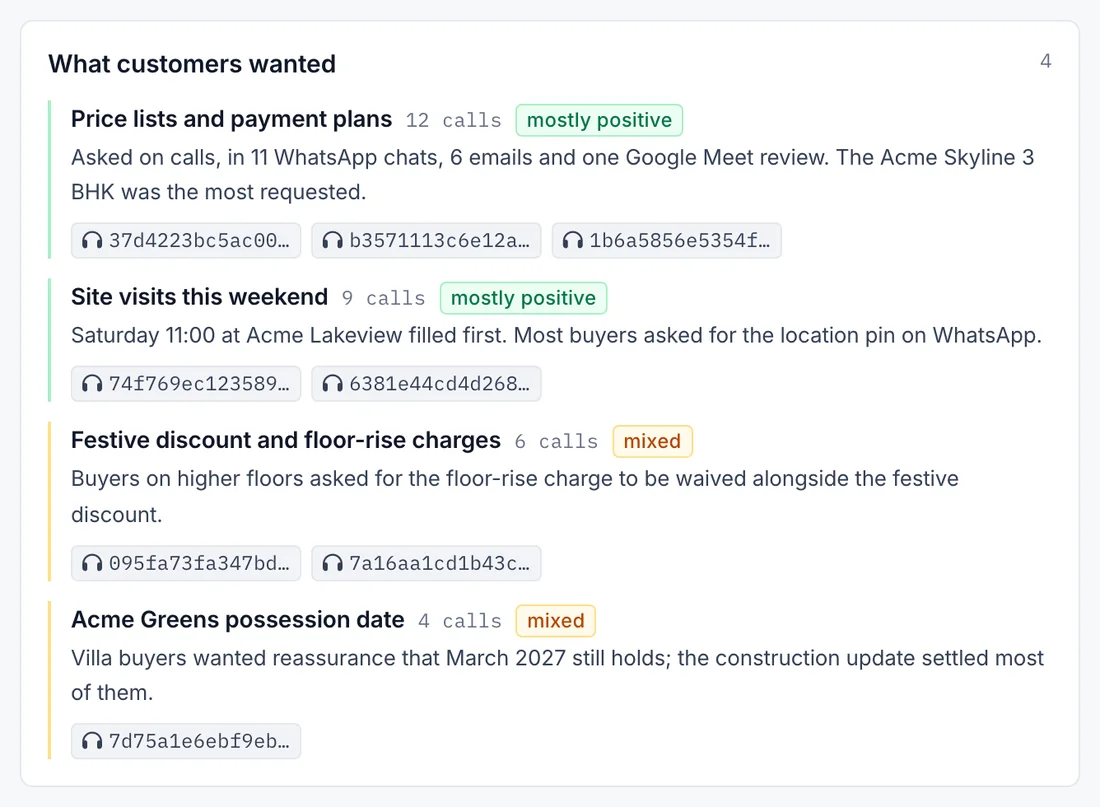
What customers wanted
The themes behind yesterday’s conversations, with how often each came up and how customers felt about it.
- Grouped by topic, not by call
- Mostly positive, mixed or negative at a glance
- Every theme links to the calls behind it
Next steps
Next steps, each with an owner
A short, prioritised list of what to do today. High, medium or low, with a name next to each.
- Recommended actions drawn from the conversations
- What’s working and what needs attention, per team
- Agent notes on who handled what

How it works
Built around how you run the day
Daily, weekly and monthly
A daily brief for the morning, a Monday review of the week and a monthly look back. Weeks run Monday to Sunday in your timezone.
For the business, a team or one rep
Owners see the whole business or a single team. Each rep gets a leaner brief of what they did well and what needs work.
In every inbox
Turn on AI summary emails per person: daily every morning, weekly every Monday, monthly on the 1st.
Numbers you can trust
Every figure is calculated first. The AI writes the words around the numbers, it doesn’t make them up.
Where exactly
Drill into teams, agents, open issues, flagged calls, call topics and history without leaving the brief.
Regenerate any time
Owners can summarise today so far, or regenerate a brief after late calls come in.
FAQ
Common questions
When is the Outlook written?
Overnight, for every workspace. Owners can also summarise today so far or regenerate a brief from the Outlook page.
What does it read?
Your calls, plus analysed meetings for the business-wide brief. WhatsApp chats and emails waiting on a reply are counted on the Overview, and every channel appears on the customer’s timeline.
Who gets it by email?
Anyone you add in Settings › Notifications. Owners can receive the whole business; each rep can receive their own brief.
Keep exploring
See CallVibe on your own conversations
Book a 30-minute walkthrough with our team, or start a 14-day free trial and connect your phone system yourself.