
Email threads, summarised the moment they arrive
Connect your shared inboxes and CallVibe analyses each email as it lands: a summary of the thread, its sentiment and category, the next action and whether the customer is waiting for a reply.
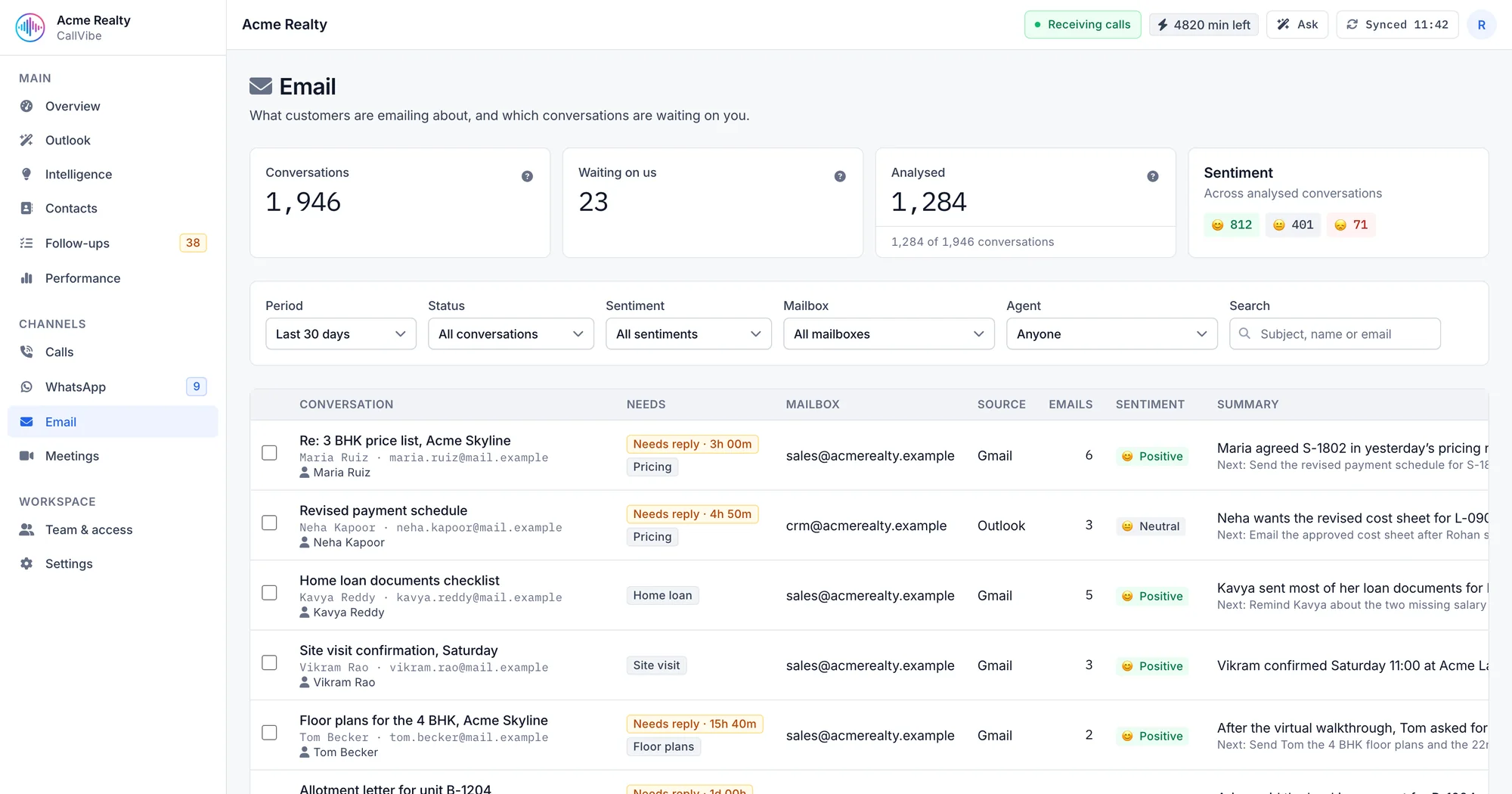
Threads
The whole thread in a paragraph
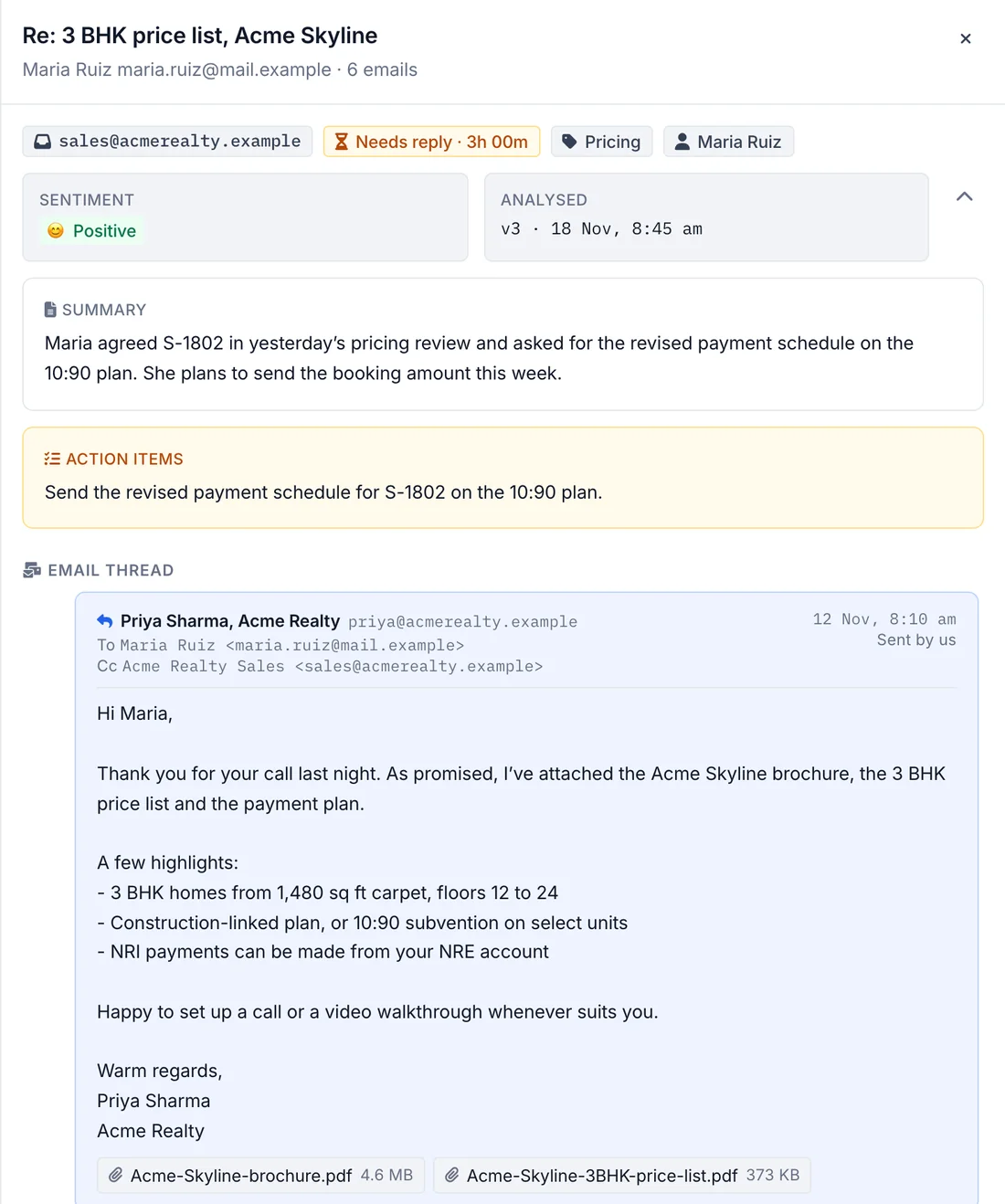
Open a thread for its summary, status and action items above the messages and attachments.
- Summary, sentiment, category and next action
- Linked to the customer by email address
- Filters for threads that need a contact, internal mail and anything not yet analysed
Waiting
“Waiting on us”, across every inbox
One filter shows every thread where a customer is waiting for your team, so the quiet ones don’t go cold.
- Waiting counts on the Overview next to WhatsApp
- Email alerts can go to Slack
- Each thread on the customer’s timeline
FAQ
Common questions
How do I connect email?
Shared inboxes connect through Ascendia. New emails flow in as they arrive; earlier mail isn’t imported.
Can CallVibe send email?
No. It reads and summarises. Ask the assistant for a draft and send it from your mail app.
Keep exploring
See CallVibe on your own conversations
Book a 30-minute walkthrough with our team, or start a 14-day free trial and connect your phone system yourself.