
Team performance
See how every rep handles customers, not just how many calls they made
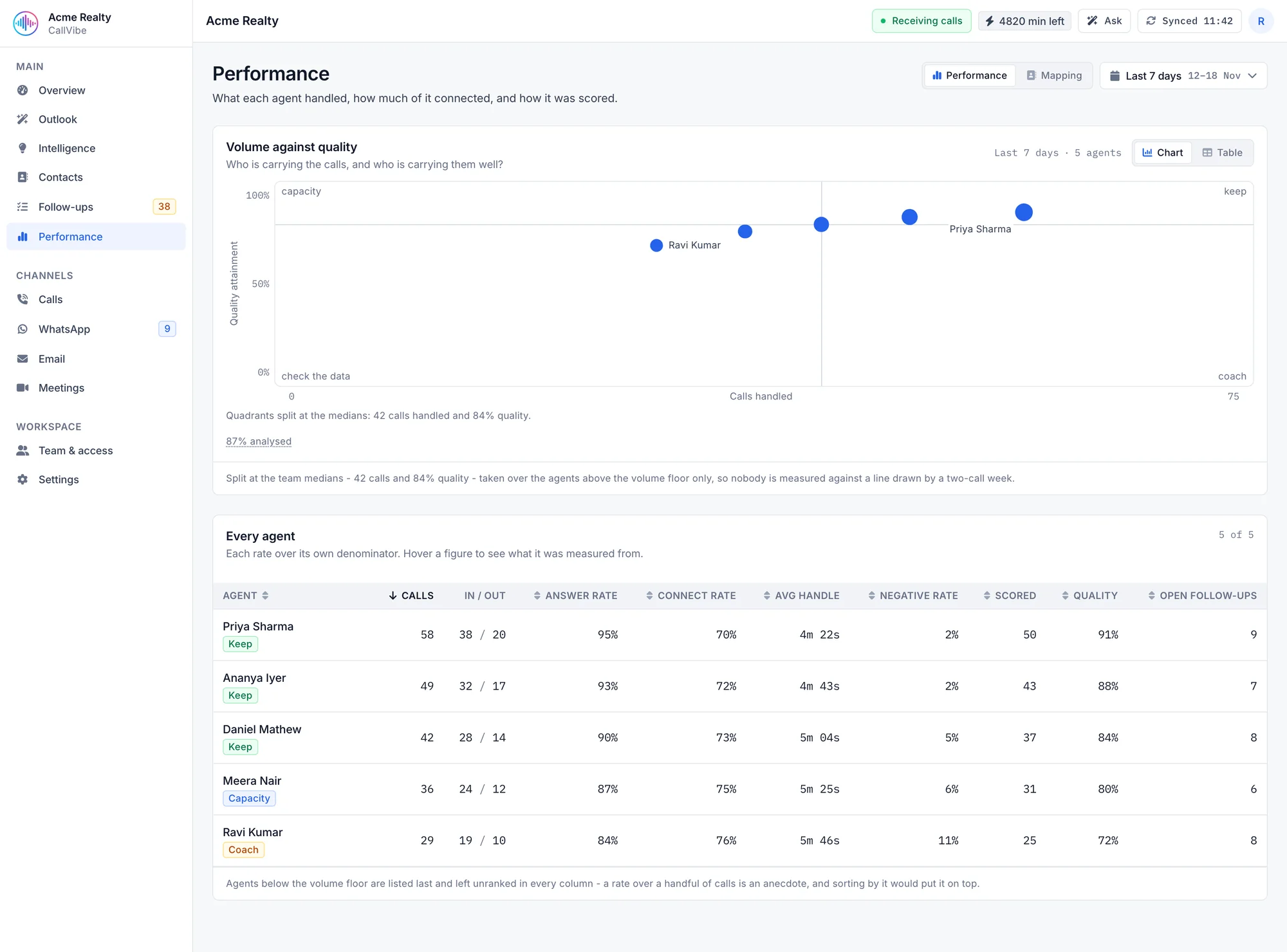
Answer rate, connect rate, quality and follow-up for each person, and a simple picture of who to keep, who to coach and who can take more calls.
Coaching
Volume against quality
Each rep sits on a simple map: high volume and high quality to keep, low quality to coach, high quality with spare capacity to give more calls.
- Day-by-day activity, top call categories and sentiment mix per rep
- Open follow-ups per person
- Map agent names and phone numbers to the right person
Scorecards
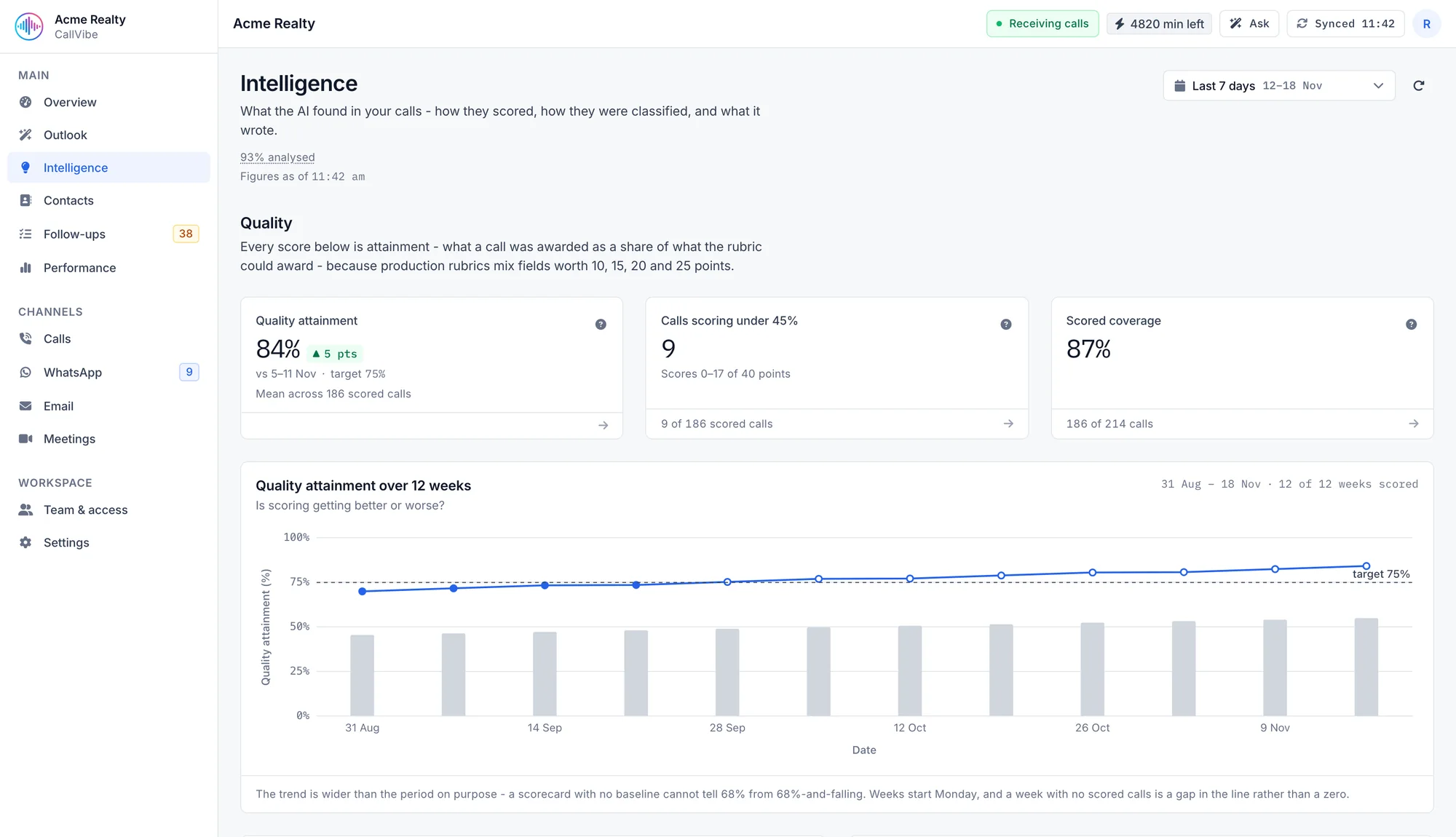
Score calls the way you coach
Turn on scorecards for the moments that matter, like opening, needs discovery, objection handling and closing, and track attainment week by week.
- Ready-made scorecards for sales, support, real estate, healthcare, insurance, education and more
- Targets for answer rate, callbacks, quality and follow-up closure
- Presets for clinics, dealerships and service businesses
FAQ
Common questions
Can reps see their own numbers?
Yes. Performance is open to agents as well as owners, so coaching conversations start from the same facts.
Can I set my own targets?
Yes, in Settings › Preferences: answer rate, callback rate and window, quality attainment, follow-up closure and healthy call length.
Keep exploring
See CallVibe on your own conversations
Book a 30-minute walkthrough with our team, or start a 14-day free trial and connect your phone system yourself.