
Intelligence & dashboards
What’s happening across every conversation, at a glance
An Overview of the numbers that matter, and an Intelligence view of what customers keep raising. Every figure drills through to the conversations behind it.
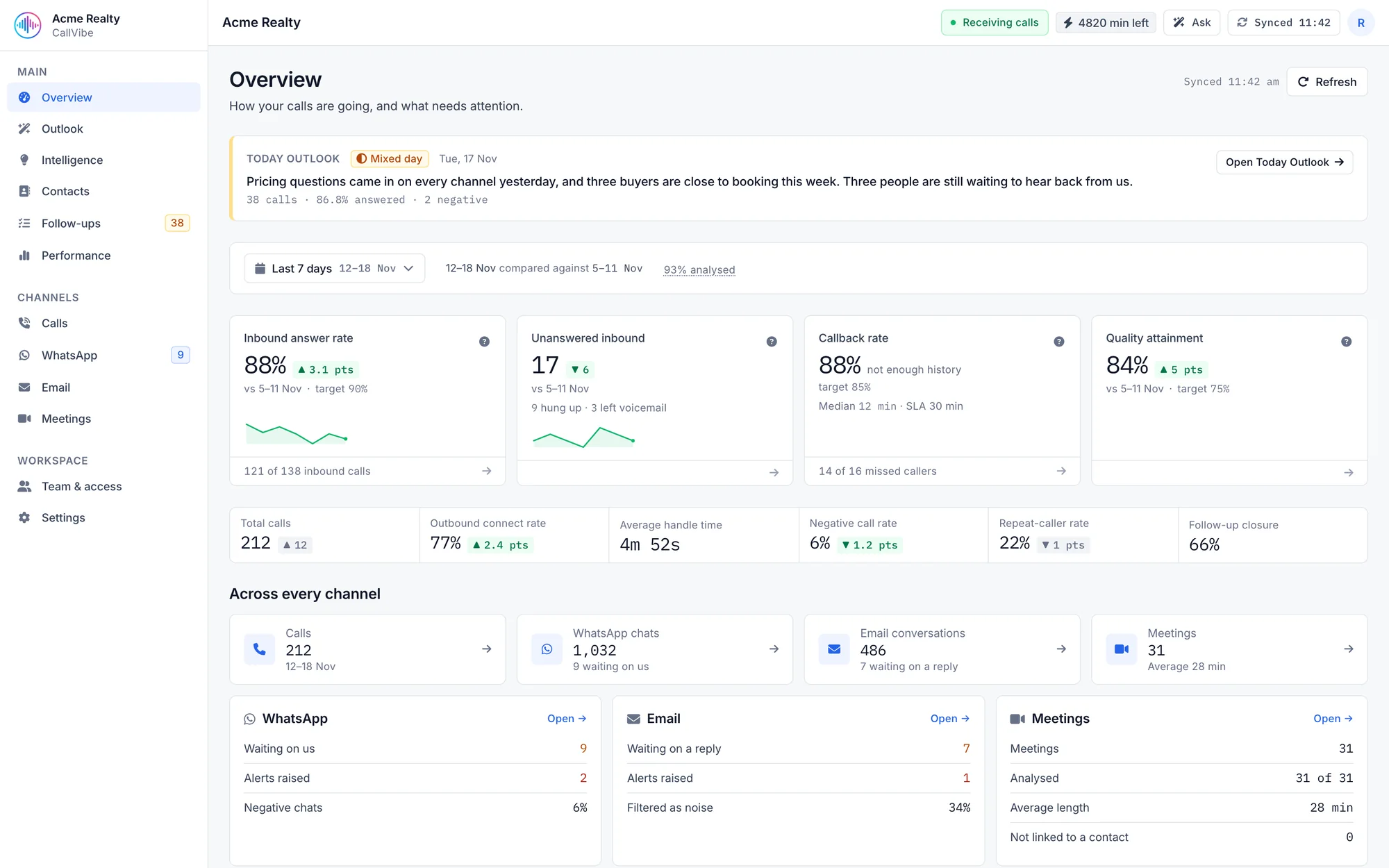
Overview
Overview: today’s numbers and what changed
Answer rate, missed calls, the callback queue, the follow-up backlog and customers to watch, with WhatsApp, email and meetings alongside your calls.
- Trends for call volume, answer rate against target and sentiment
- When calls come in, what people call about and how long calls last
- Click any number to see the calls behind it
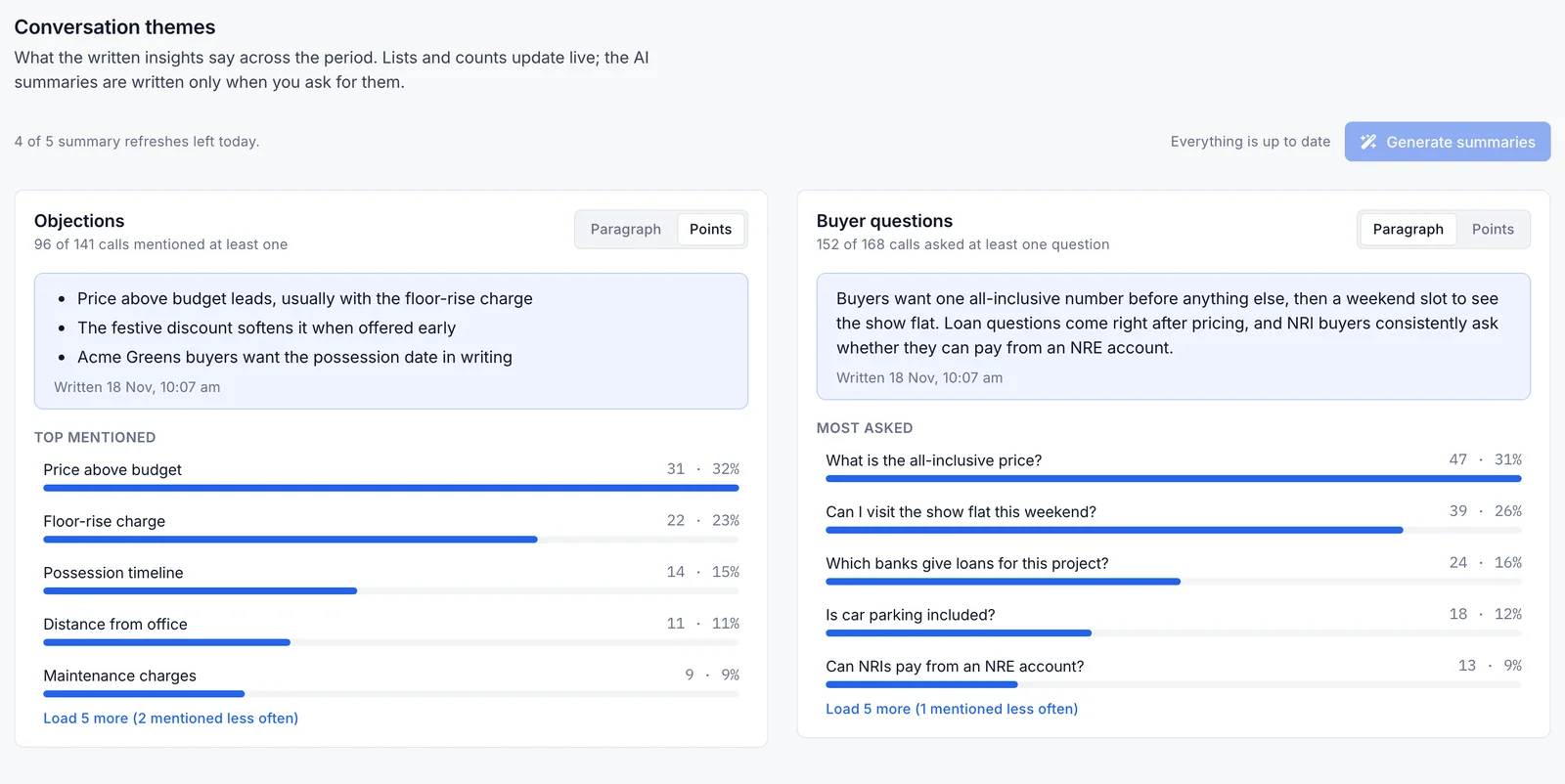
Themes
Intelligence: the themes behind the numbers
See the objections and questions that keep coming up, how quality is trending over 12 weeks and how each scorecard is doing.
- Quality attainment and score bands by agent
- Your custom dropdown insights broken down by value
- Theme summaries written when you ask for them
Drill through anything
Every tile, chart and theme opens the exact list of calls behind it.
Export what you see
Download the calls you’ve filtered as CSV, with the columns you chose.
Shareable call links
Send a teammate a link straight to a call, its summary and its transcript.
Keep exploring
See CallVibe on your own conversations
Book a 30-minute walkthrough with our team, or start a 14-day free trial and connect your phone system yourself.