
Calls
Every call, transcribed, summarised and filed
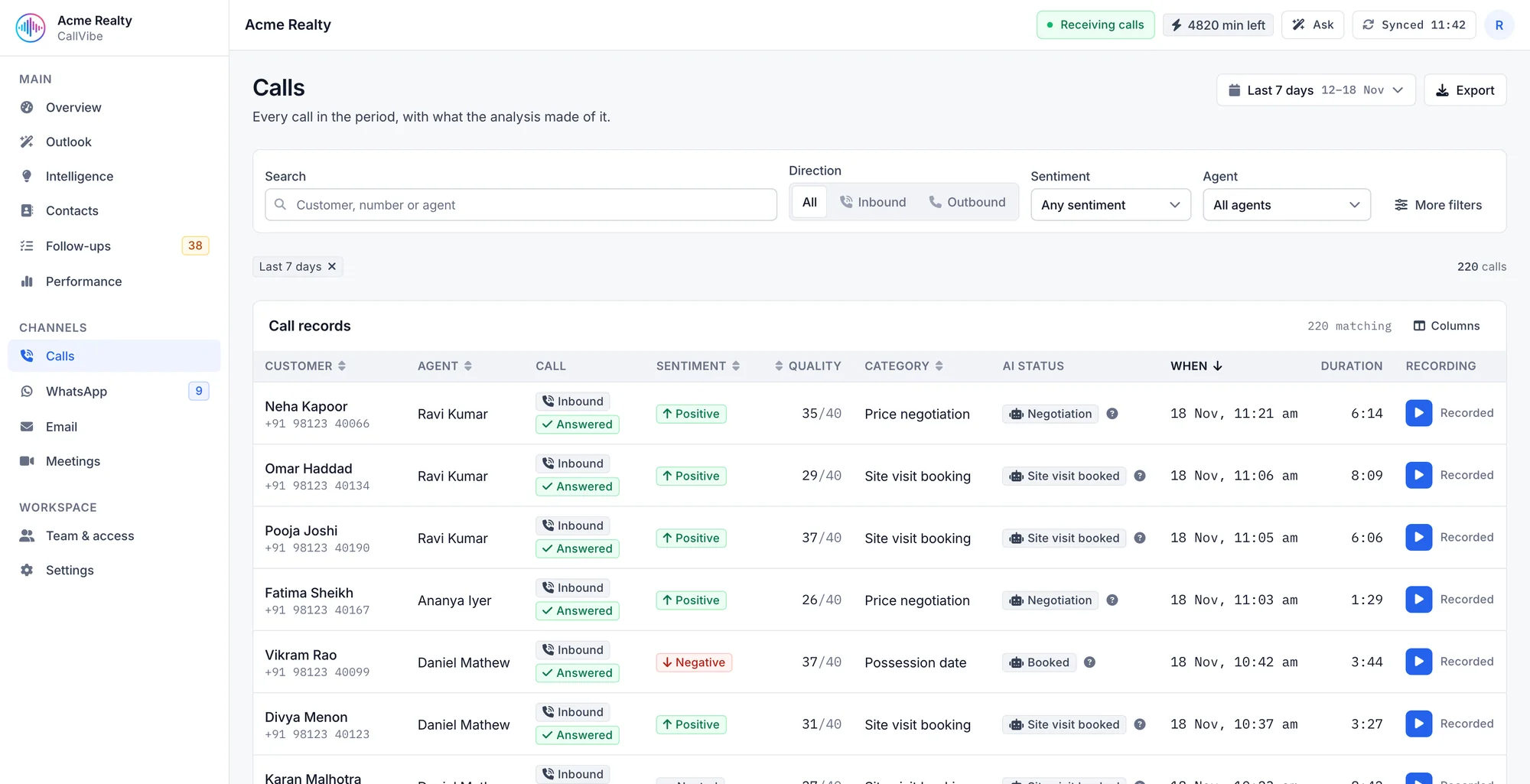
CallVibe picks up recordings from your phone system every few minutes. Each call comes back with a transcript, a summary, its sentiment, a category and the next step, on the right customer’s timeline.
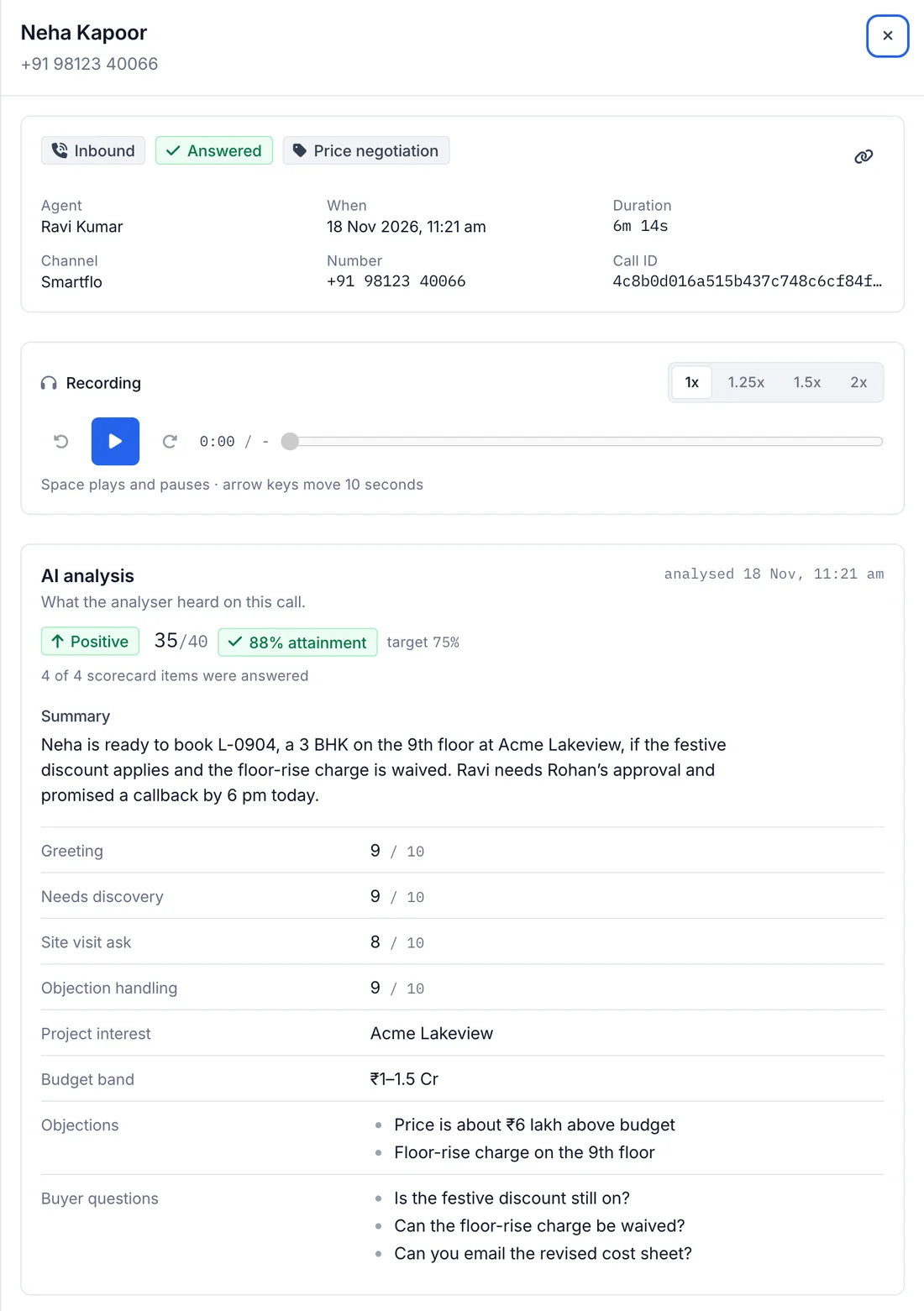
Call detail
Read a call in ten seconds
Open any call for the summary, the agreed next step, the sentiment and category, your own insight fields, the audio and the full transcript.
- Calls in many languages, including mixed-language calls, summarised in English
- Follow-up status you can update from the call
- Shareable link to the exact call
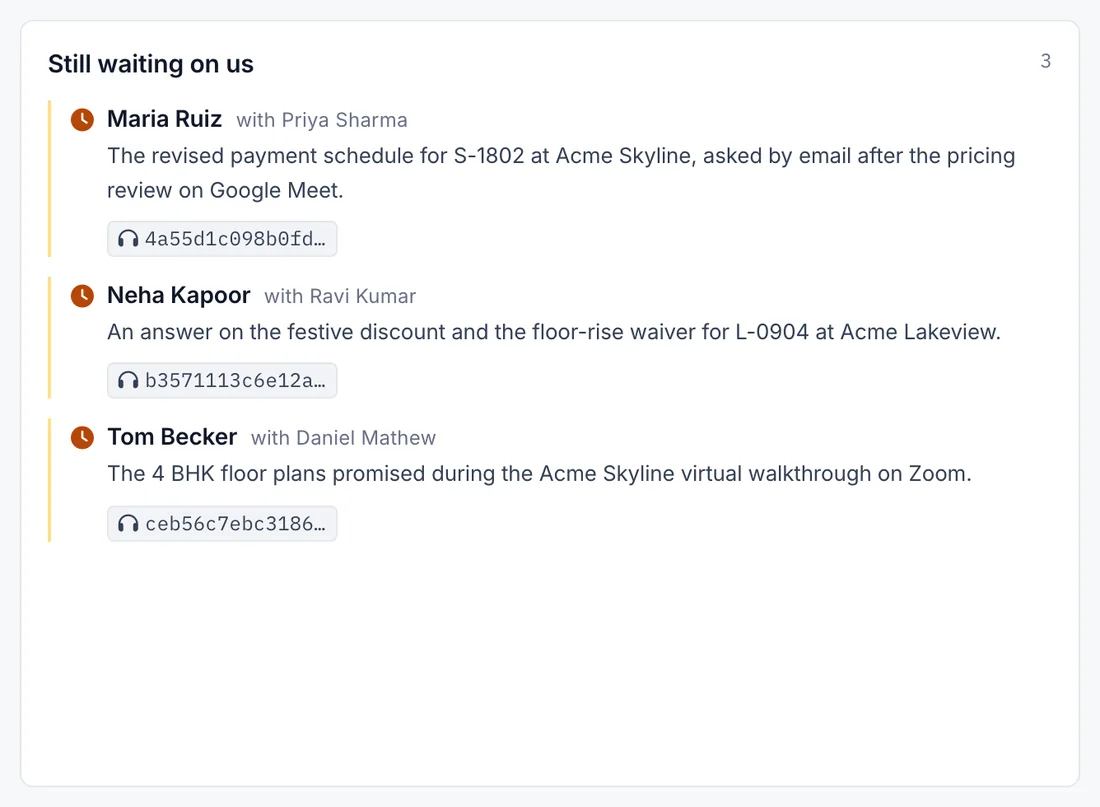
Callbacks
Nobody who called is forgotten
Missed callers who never heard back sit in a callback queue on the Overview, and the ones still waiting appear in tomorrow’s Outlook.
- Missed-call alerts in Slack
- Callbacks scheduled automatically when a customer asks for a time
- Priority alerts for calls the AI flags
Getting calls in
Works with the phone system you already have
See every provider on the integrations page.
Cloud telephony and call tracking
Connect Smartflo (Tata Tele), Exotel, Kaleyra, 8×8, Zadarma, RingCentral, Zoom Phone, Bonvoice, Callyzer, SalesTrail or MobileCRM.
Any other phone system
Send calls to CallVibe’s incoming webhook with an audio file or a recording link.
Upload centre
Upload a single recording with its details, or import many at once from a CSV. No telephony needed.
FAQ
Common questions
How quickly do new calls show up?
CallVibe checks connected phone systems every few minutes and analyses new recordings as they arrive.
Which languages are supported?
Calls in many languages, including calls that switch between languages mid-conversation. Every call is transcribed and summarised in English.
Do unrecorded calls use AI minutes?
No. Only calls with a recording are analysed and counted. See pricing for how minutes work.
Keep exploring
See CallVibe on your own conversations
Book a 30-minute walkthrough with our team, or start a 14-day free trial and connect your phone system yourself.