
Long WhatsApp chats, split into topics you can act on
CallVibe reads your team’s WhatsApp conversations and splits each chat by subject: pricing, documents, site visit. Every topic gets its own summary, and chats waiting on a reply are flagged with how long the customer has waited.
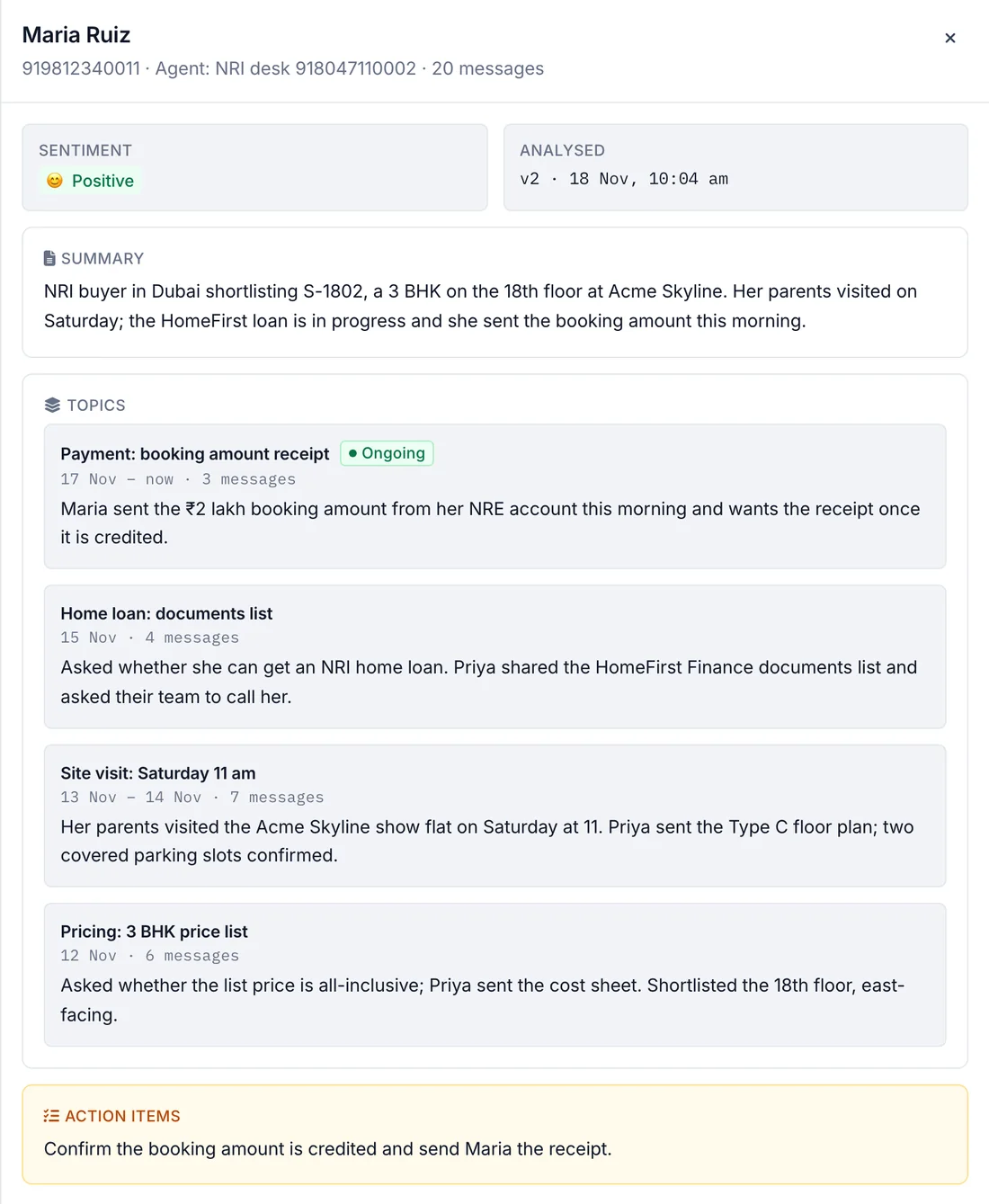
Topics
Topics, not a wall of messages
Each new run of messages is grouped into a topic with a title, dates, a message count and a summary. You see what is settled and what is still open.
- Summary, sentiment, category and next action per chat
- Photos and documents kept with the chat
- Each topic on the customer’s timeline
Needs reply
See who is waiting on you
The “waiting on us” filter shows every chat where the customer spoke last and expects an answer, with a needs-reply badge and its age.
- Analysed every 30 minutes once a chat goes quiet
- Analyse on demand when you need it sooner
- Alerts can go to Slack
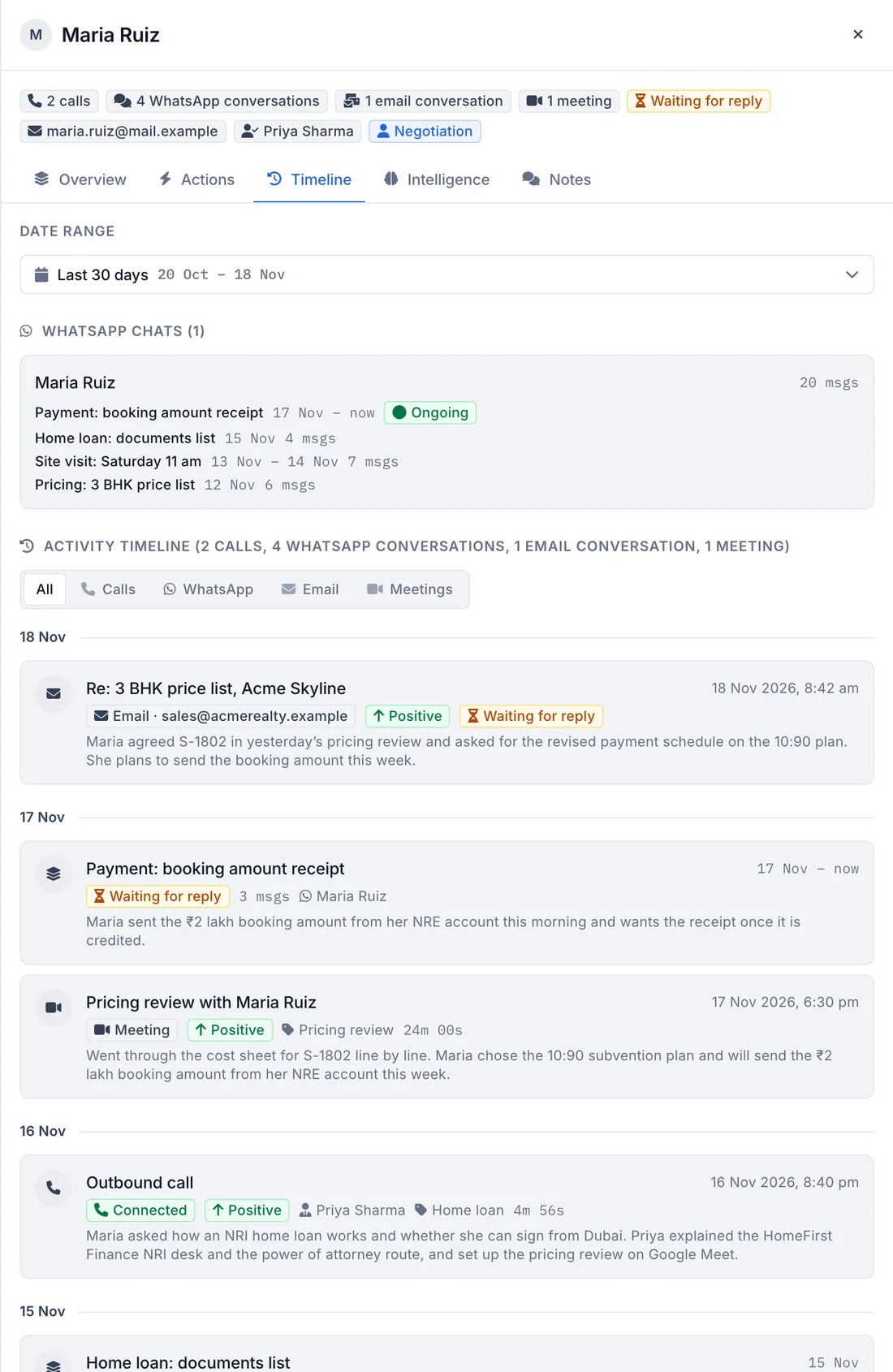
Connecting WhatsApp
Bring chats in through your WhatsApp provider
WATeams
Connect by webhook and new messages flow in as they arrive.
TimelinesAI
Connect with a signed webhook from your TimelinesAI account.
Read-only by design
CallVibe reads and organises chats. Your team keeps replying from WhatsApp as usual.
FAQ
Common questions
Can I reply to customers from CallVibe?
No. CallVibe is read-only for WhatsApp. Ask the assistant for a draft reply, then send it from WhatsApp.
Are old chats imported?
Messages are captured from the moment you connect. Earlier history isn’t imported.
Do WhatsApp chats use AI minutes?
WhatsApp analysis doesn’t draw from your AI minutes today. See pricing.
Keep exploring
See CallVibe on your own conversations
Book a 30-minute walkthrough with our team, or start a 14-day free trial and connect your phone system yourself.