
Follow-ups
Every promise made on a call, on someone’s list
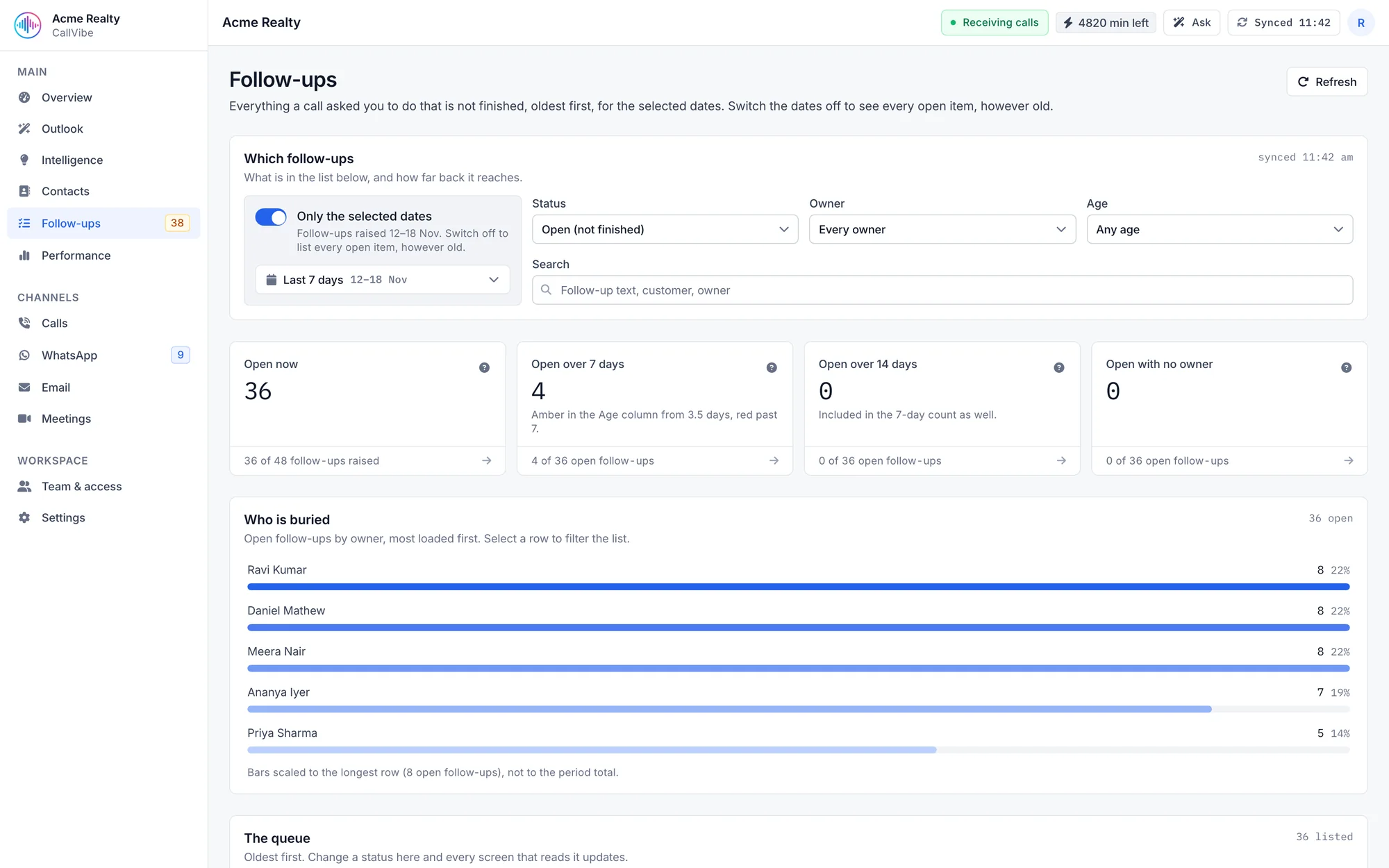
CallVibe pulls the agreed next step out of every call and meeting and puts it in one queue, grouped by owner and oldest first, so nothing said at 8:40 pm is forgotten by morning.
Queue
A queue that shows what is slipping
Each follow-up has an owner and an age against a seven-day target. Past halfway it turns amber; past seven days it turns red.
- Pending, in progress or done, one at a time or in bulk
- Views for items open over 14 days and items with no owner
- Meeting action items in their own section, ready to tick off

Drafts
Need the words? Ask for a draft
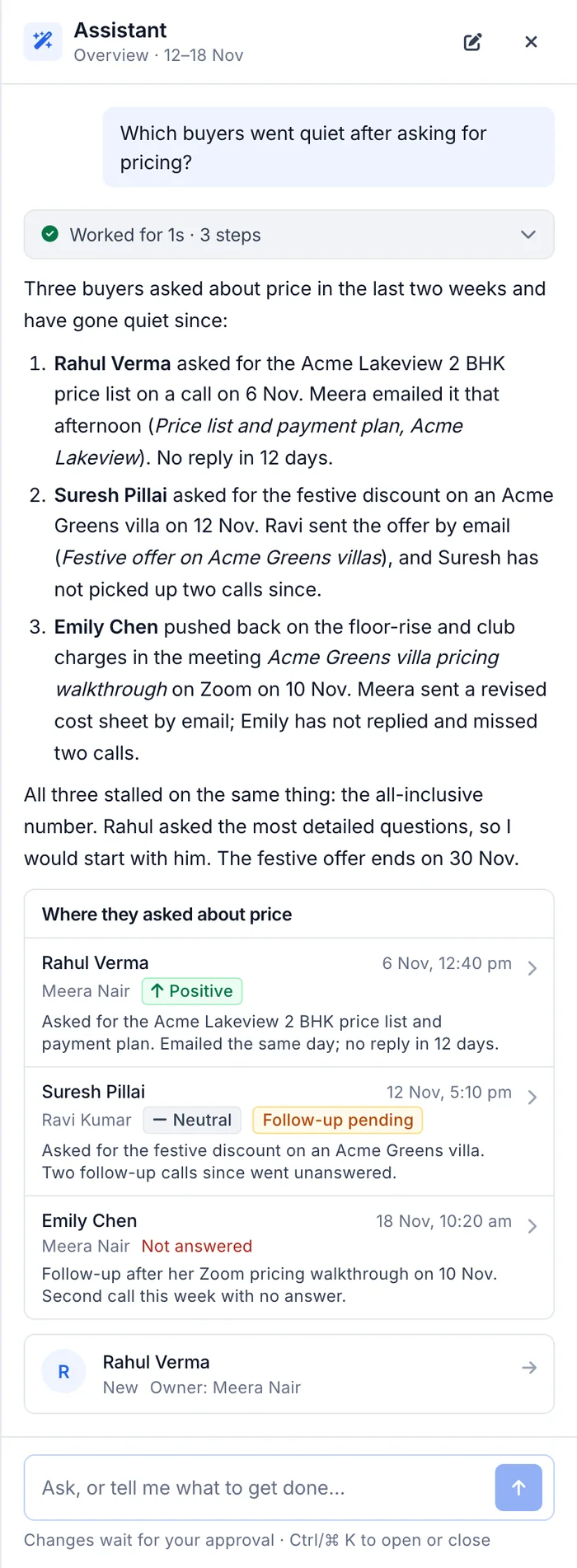
Ask CallVibe for a WhatsApp, SMS or email reply and it writes one in the customer’s language, using what they actually said. You copy it, check it and send it yourself.
- Drafts are copy-only: CallVibe never sends to customers
- Ask the assistant to mark follow-ups done; it waits for your Approve
- Every change can be undone for 24 hours
FAQ
Common questions
Does CallVibe send follow-up messages for me?
No. It finds the next step, puts it on the right person’s list and can draft the message. Sending is always up to your team.
Where do follow-ups come from?
The next action CallVibe extracts from each analysed call, plus action items from recorded meetings.
Keep exploring
See CallVibe on your own conversations
Book a 30-minute walkthrough with our team, or start a 14-day free trial and connect your phone system yourself.