
You talk to customers.
CallVibe handles the after-call work.
Every call, WhatsApp chat, email and meeting is transcribed, summarised and filed under the right customer. Ask the assistant anything about your customers, and start each day with a short brief of who is still waiting.
Trusted by schools, property developers and growing businesses





The assistant
Ask CallVibe anything about your customers
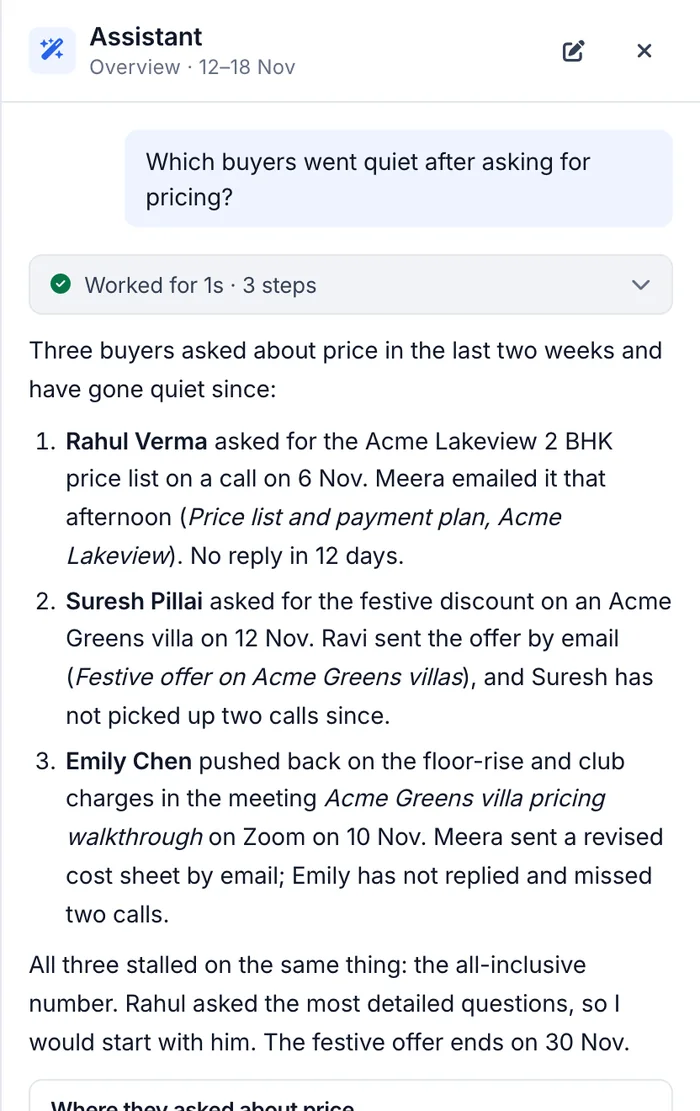
Press ⌘K or Ctrl K anywhere in CallVibe and ask in plain English. It reads your conversations so you don’t have to scroll through them.
Answers you can check
Every answer is built from your own calls, contacts and briefs, with links to the conversations behind it.
Drafts in your customer’s language
WhatsApp, SMS or email replies written from what the customer actually said. You read it, then you send it.
It suggests, you approve
Set a callback, move a stage, mark follow-ups done. Nothing changes until you press Approve, and you can undo for 24 hours.
The problem
Your customers don’t stay in one channel. Your follow-up shouldn’t fall between them.
A buyer calls about a flat, sends questions on WhatsApp, gets a quote by email and joins a video walkthrough. Four tools, four half-stories, and nobody can say who owes them a reply.
The promise gets lost
“I’ll send the revised schedule tonight” was said on a call at 8:40 pm. It’s on nobody’s list the next morning.
WhatsApp turns into a wall
Long chats mix pricing, documents and site visits. The one question still unanswered is buried 60 messages up.
Managers see activity, not outcomes
Call counts look healthy. What you can’t see is which customers are still waiting and what each rep promised.
Why CallVibe
Built for how small teams actually talk to customers
Most tools see one channel. Your customers use all of them.
Call analytics tools
Score and summarise calls. WhatsApp, email and meetings live somewhere else.
WhatsApp inboxes
Help you reply to chats. They don’t hear what was said on the phone.
Meeting notetakers
Write up video calls. The rest of the customer’s story is missing.
CallVibe
Calls, WhatsApp, email and meetings on one customer timeline, in many languages, with an assistant that answers from all of it. Works alongside your phone system and CRM.
What CallVibe does with every conversation
The admin after each conversation, handled
CallVibe works through calls, chats, emails and meetings as they come in, so your team can spend the day with customers. It never messages a customer on your behalf.
Writes it up
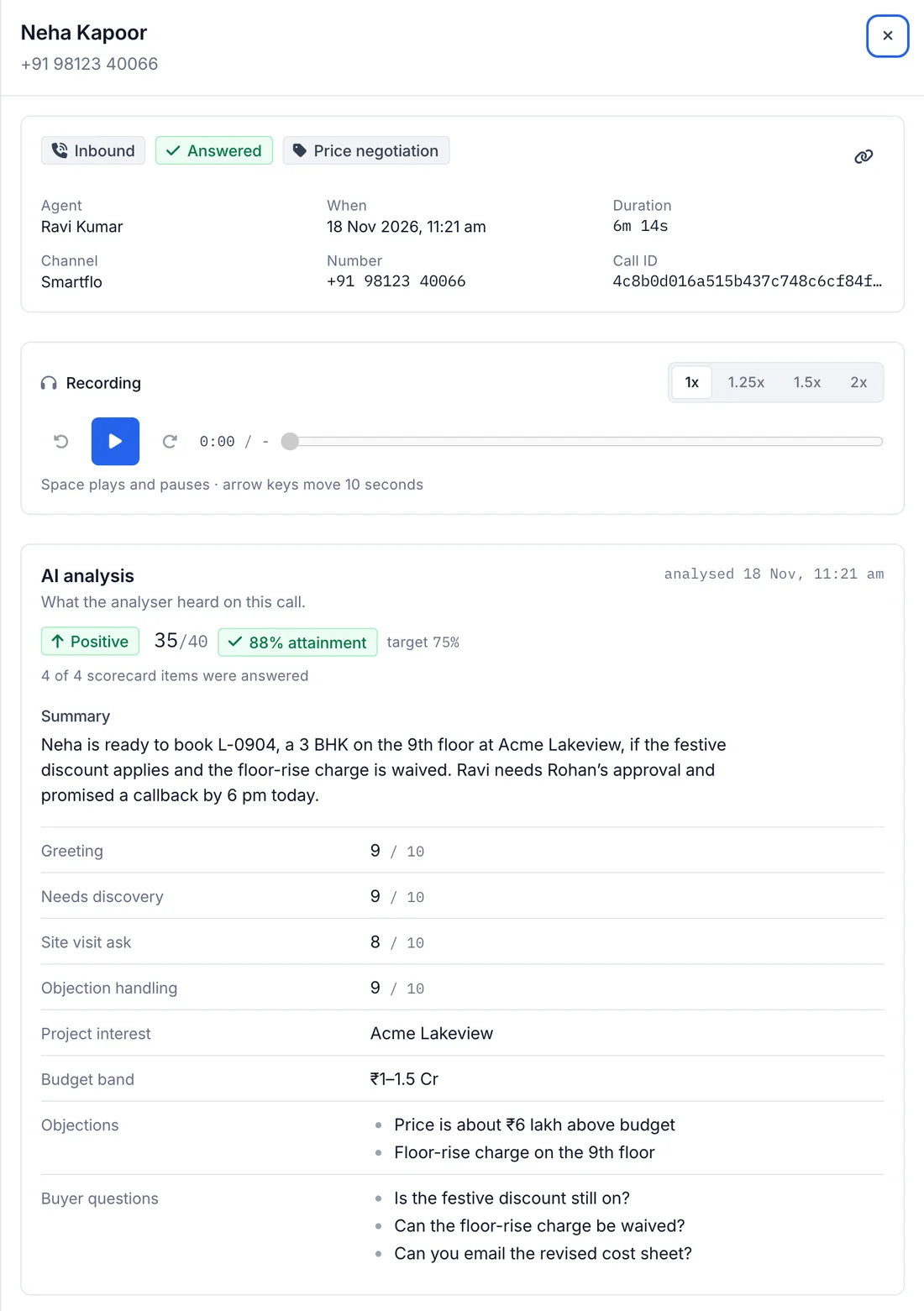
Transcript, summary, sentiment, category and next action for every call, WhatsApp topic, email thread and meeting.
Files it under the right customer
Matched on phone number, email or WhatsApp ID. Anything uncertain goes to a clean-up queue for an owner to decide.
Keeps the pipeline current
Suggests each contact’s stage from their calls and pushes call outcomes to GoHighLevel or LeadSquared. A human change always wins.
Schedules the callback
When a customer asks to be called at a time, the callback appears in Scheduled with a note. It never overwrites a date you set.
Flags who is waiting
WhatsApp chats and emails waiting on your team, and callers who never heard back, with how long they’ve waited.
Writes a daily brief
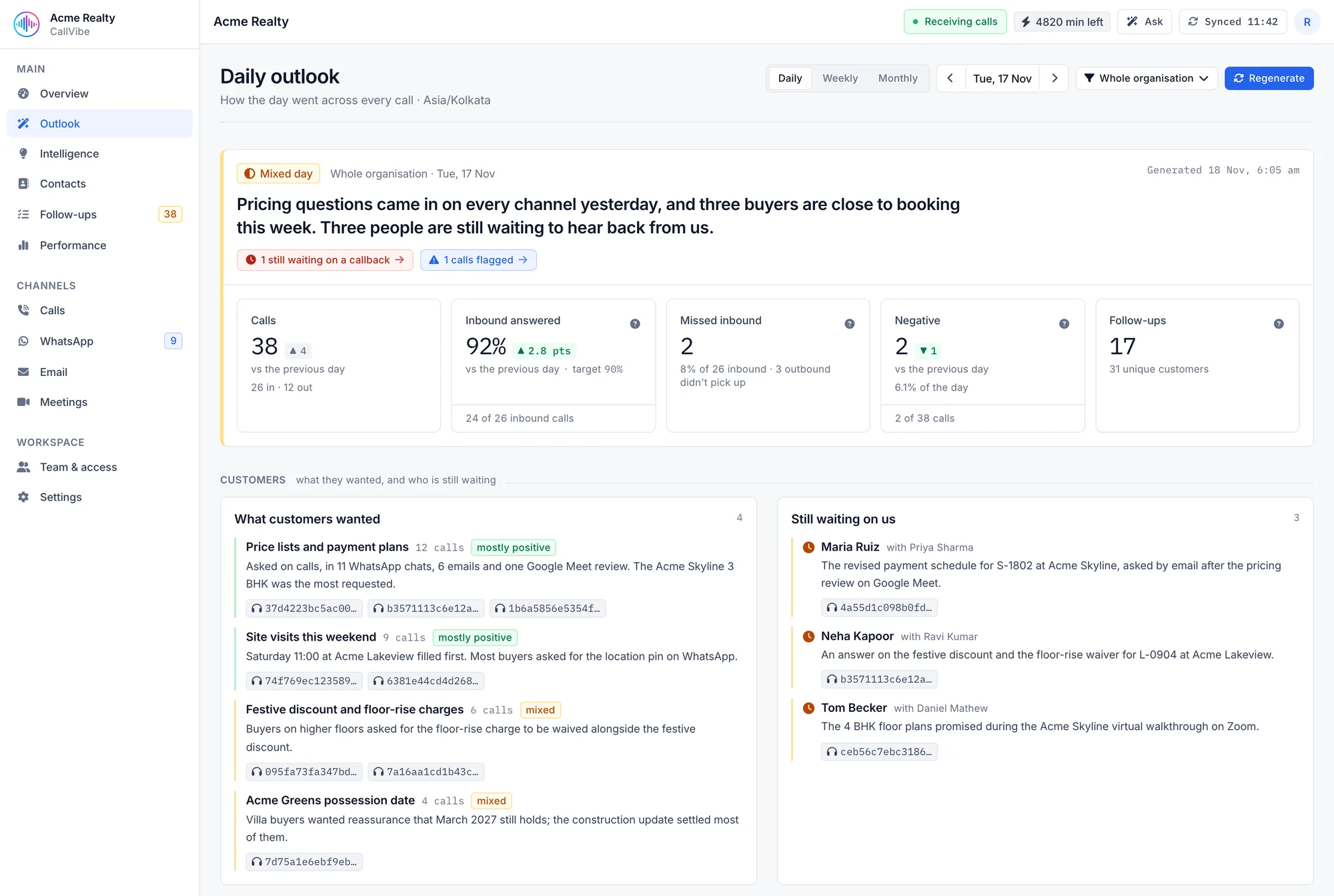
An Outlook for the business, each team and each rep: what customers wanted, who is waiting and suggested next steps.
One workspace, four channels
Wherever the conversation happened, it ends up in the same place
Every call, transcribed and understood
CallVibe pulls recordings from your phone system every few minutes. Calls in many languages, including mixed-language calls, come back as clear English summaries.
- 11 cloud telephony and call-tracking providers, plus a webhook and bulk upload
- Summary, sentiment, category and next action on every call
- Missed callers who never heard back, in one callback queue
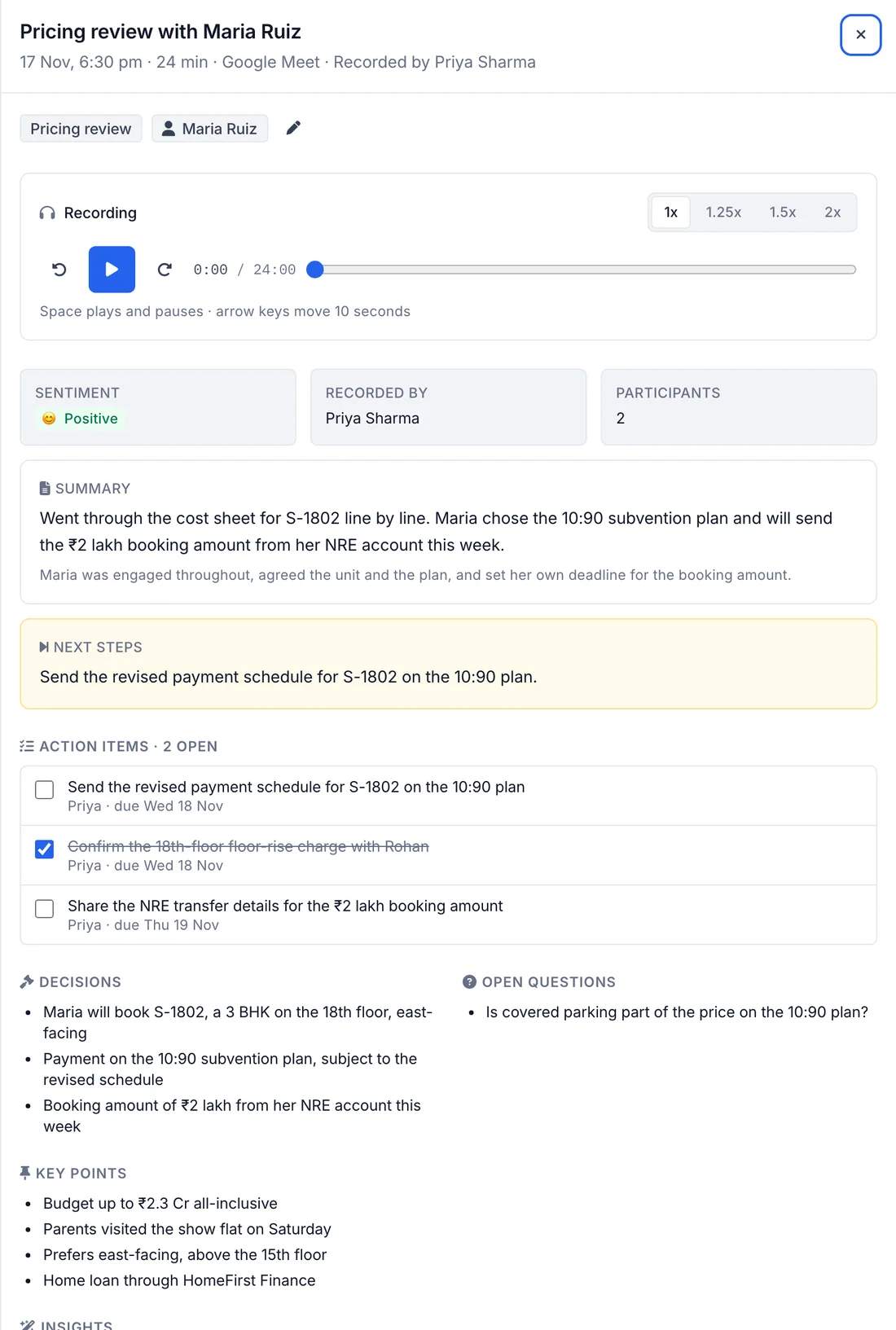
WhatsApp chats, split into topics
A 200-message chat becomes a short list of topics: pricing, documents, site visit. Each has its own summary, so you can see what is settled and what is still open.
- Connect through WATeams or TimelinesAI
- “Needs reply” badge with how long the customer has waited
- Same customer timeline as their calls and emails
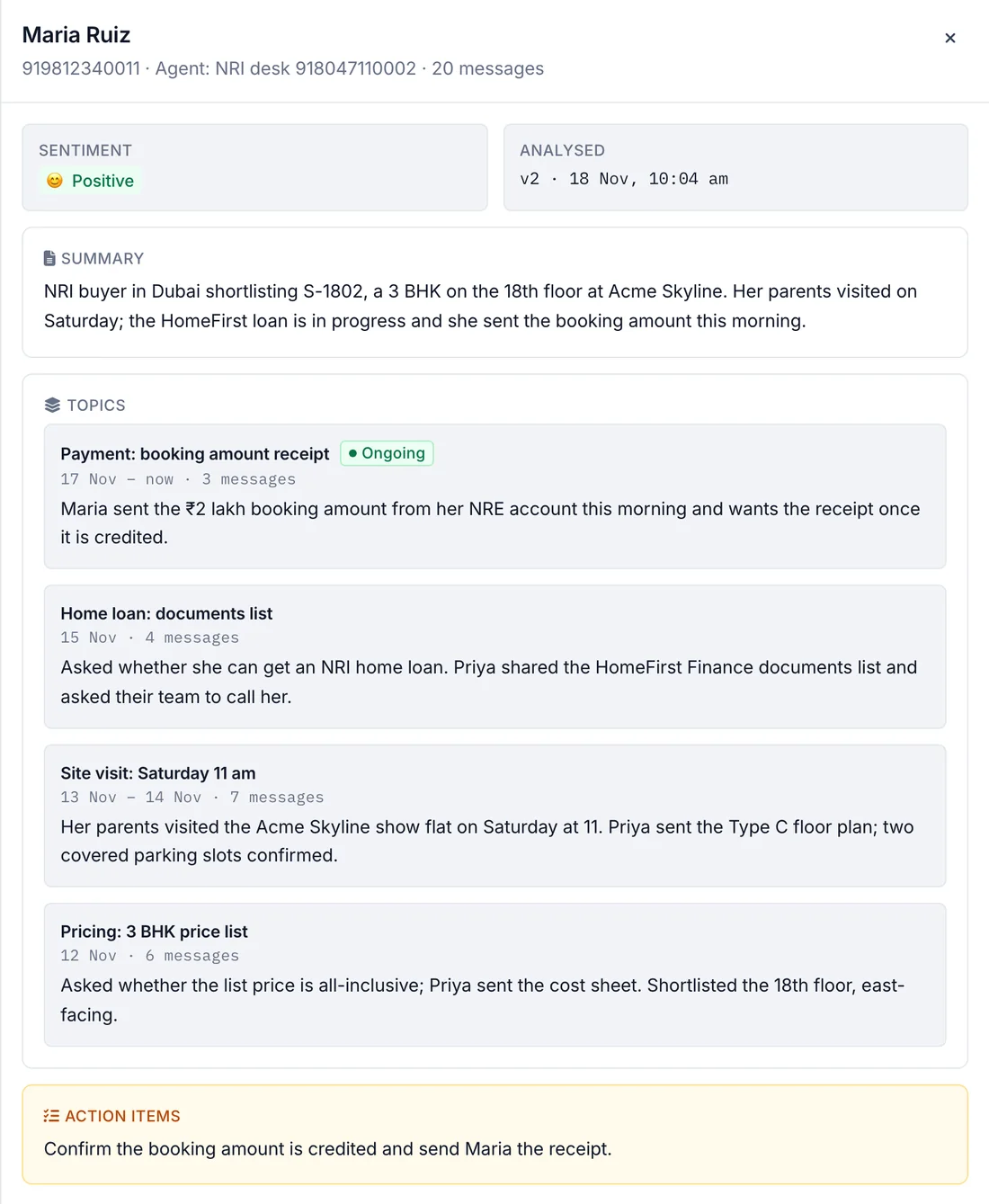
Email threads, summarised as they arrive
Shared inboxes are analysed as each email lands. Long threads get a summary, a status and a next action, and anything waiting on you is flagged.
- Shared inboxes connected through Ascendia
- “Waiting on us” filter across every thread
- Linked to the customer by their email address
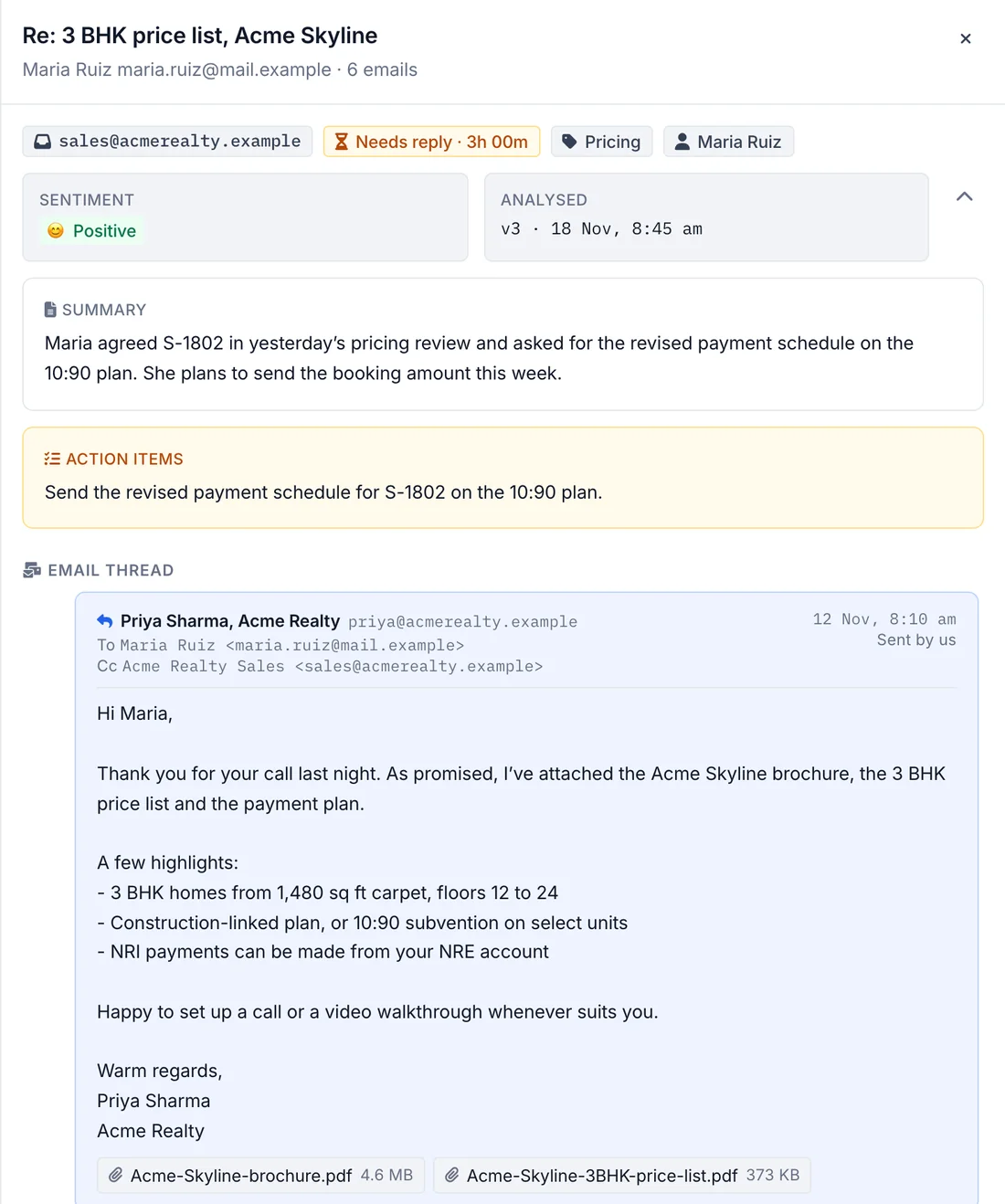
Meetings recorded without a bot
The CallVibe Recorder for Chrome captures Google Meet, Zoom and Teams calls in the browser. Nobody new joins the call, and only audio is recorded.
- Summary, decisions, action items and talk time
- Meeting action items land in Follow-ups
- Fireflies users can import their last 30 days
Connects to the phone systems, chat and CRM you already use








 Google Meet · Zoom · Teams
Contacts & timeline
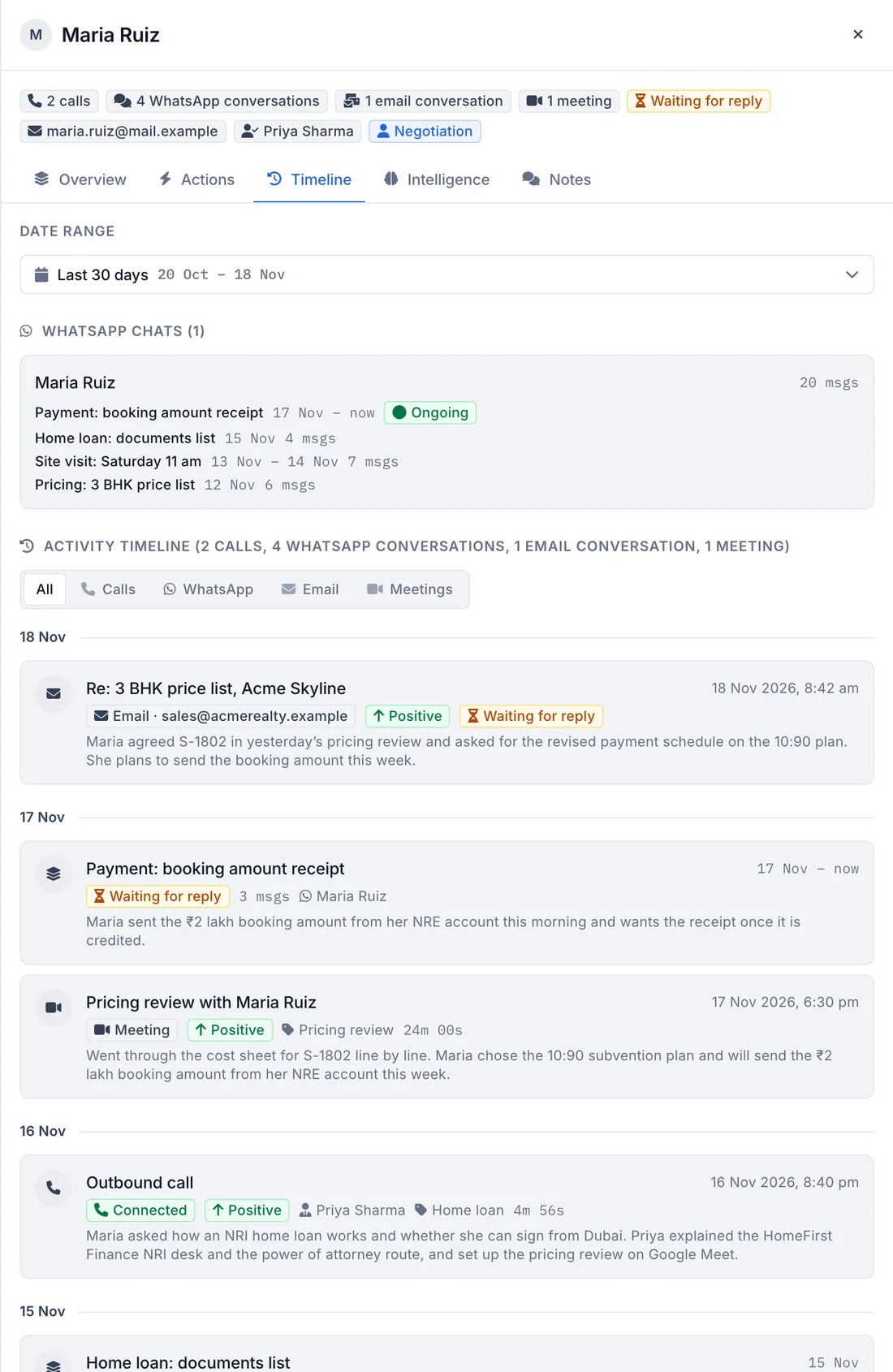
One customer. Every conversation. One timeline.
Open any customer and read their whole story in order: the first enquiry call, the WhatsApp questions, the pricing meeting and the email asking for a payment schedule.
- Linked automatically when the phone number, email or WhatsApp ID matches
- AI stage and human stage side by side, with the human choice always winning
- A one-click summary of everything the customer has said across channels
One customer’s week
From first enquiry to the next step, without anyone writing notes
Mon 10:00
Enquiry call
Maria asks for the 3-bedroom price list and how payments from abroad work.
Mon 13:30
WhatsApp questions
Floor plans and parking, then a site-visit time for Saturday.
Thu 18:30
Pricing meeting
A Google Meet walkthrough of the cost sheet. She picks a payment plan.
As it happens
CallVibe files it
Each conversation lands on Maria’s timeline with a summary and the next step she asked for.
Fri 09:00
Your rep asks
“What did we promise Maria?” The assistant answers: the revised payment schedule, with the email linked.
Everything else your team gets
Built for the people who talk to customers, and the people who run them
Brief
Daily Outlook
What customers wanted, who is still waiting and suggested next steps, for the business, each team and each rep.
Learn more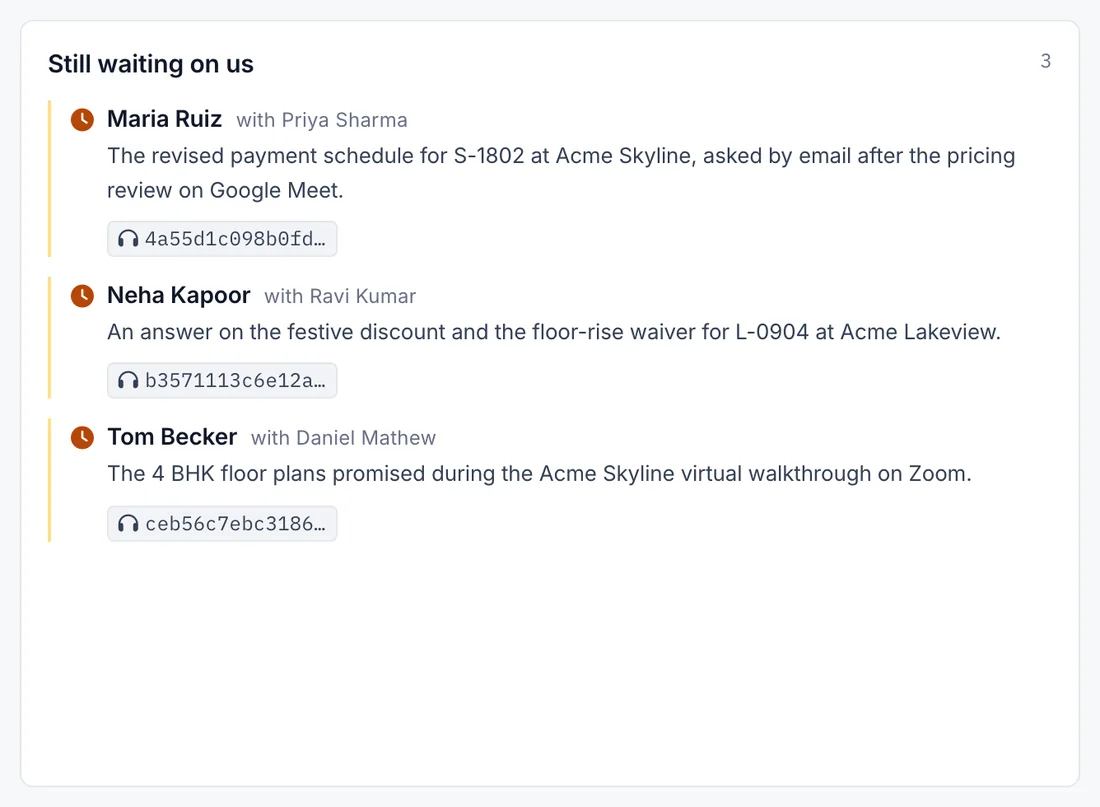
Follow-ups
Follow-ups that don’t slip
Every next step pulled from calls and meetings, with an owner and an age. Overdue items turn amber, then red.
Learn more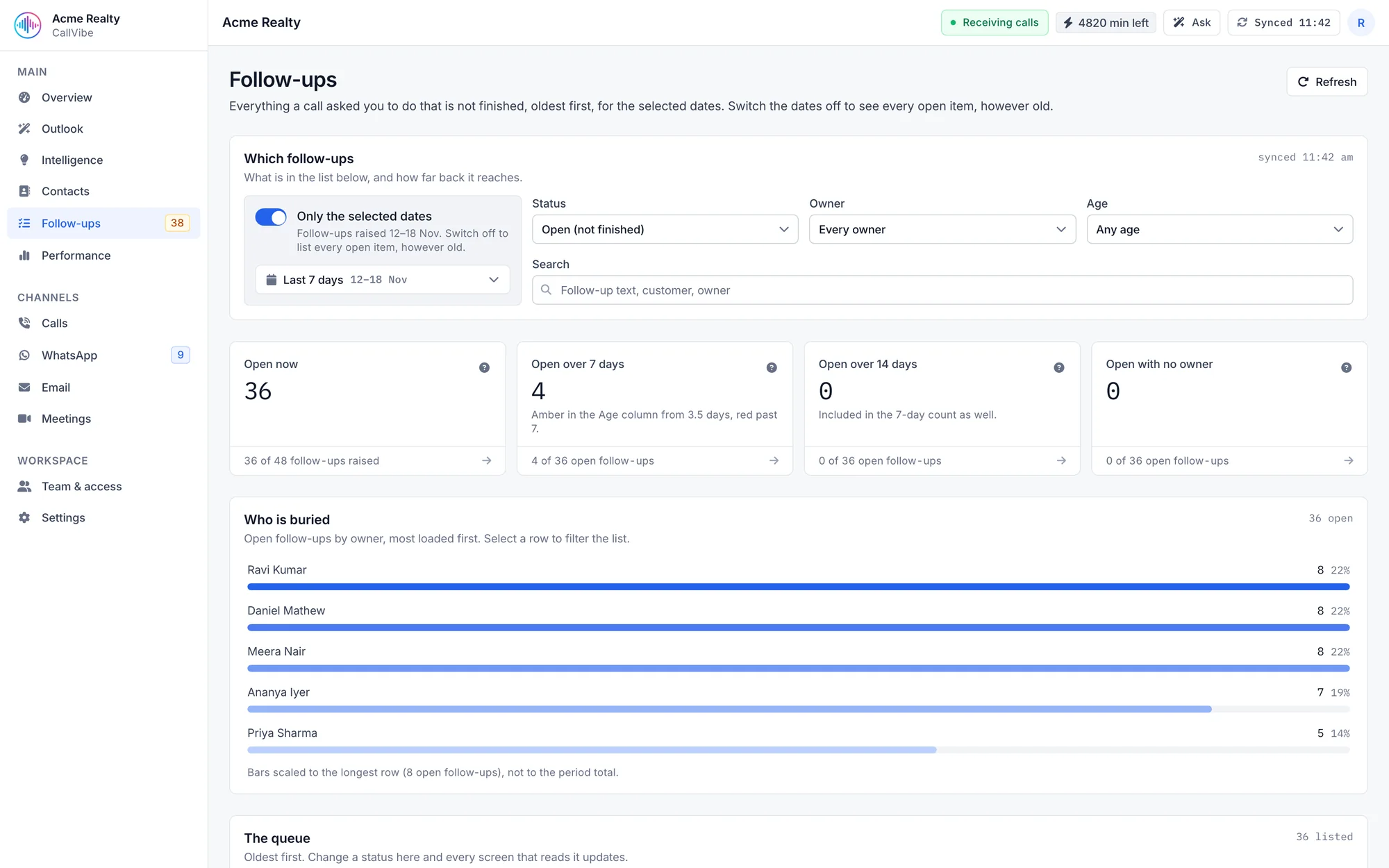
Managers
Team performance
Answer rate, quality and follow-up for every rep, and a simple map of who to keep, coach or give more calls to.
Learn more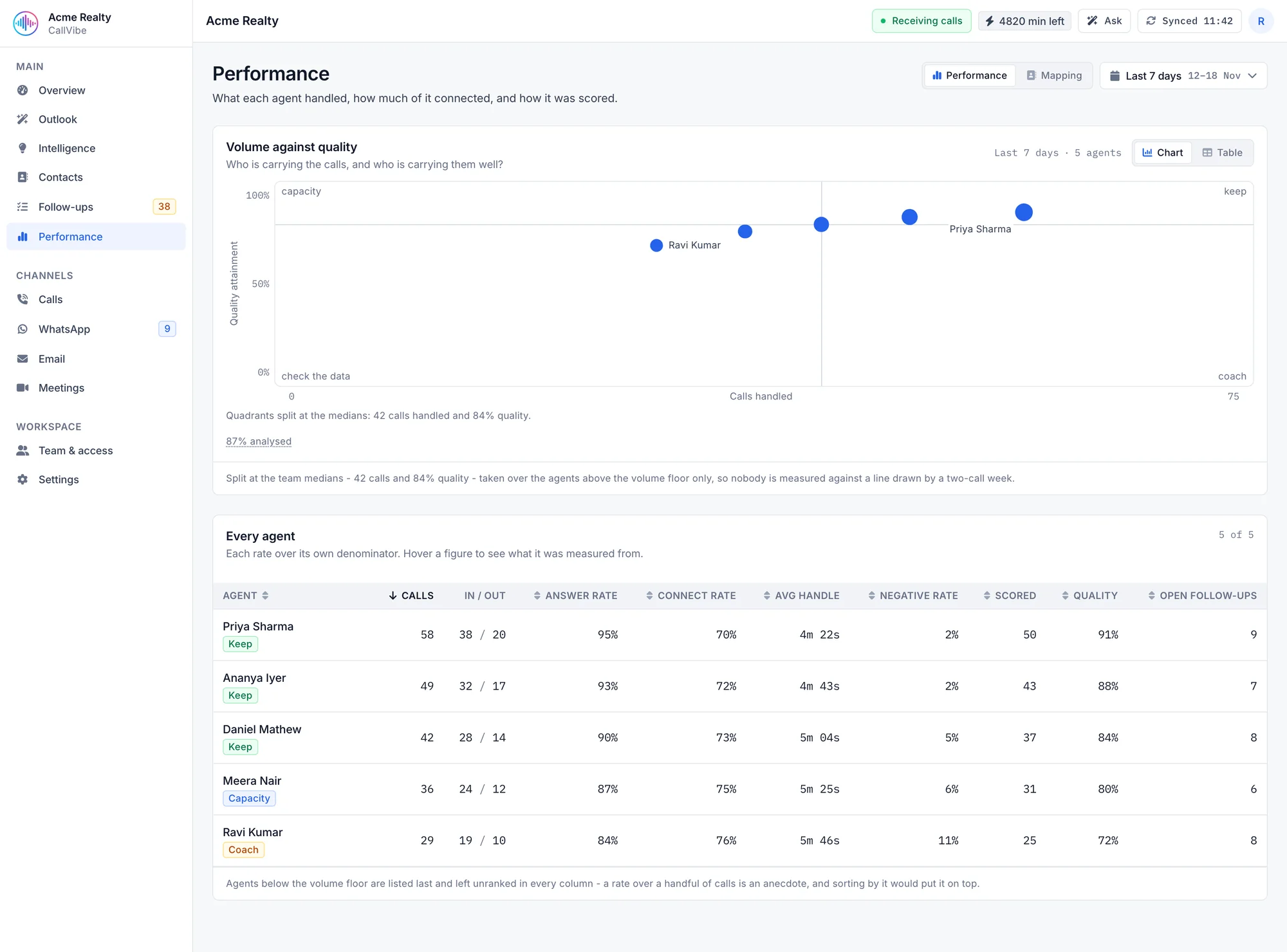
Your fields
Custom AI insights
Teach CallVibe what matters in your business: budget band, site-visit ask, disclosure compliance. Start from 100+ industry templates.
Learn more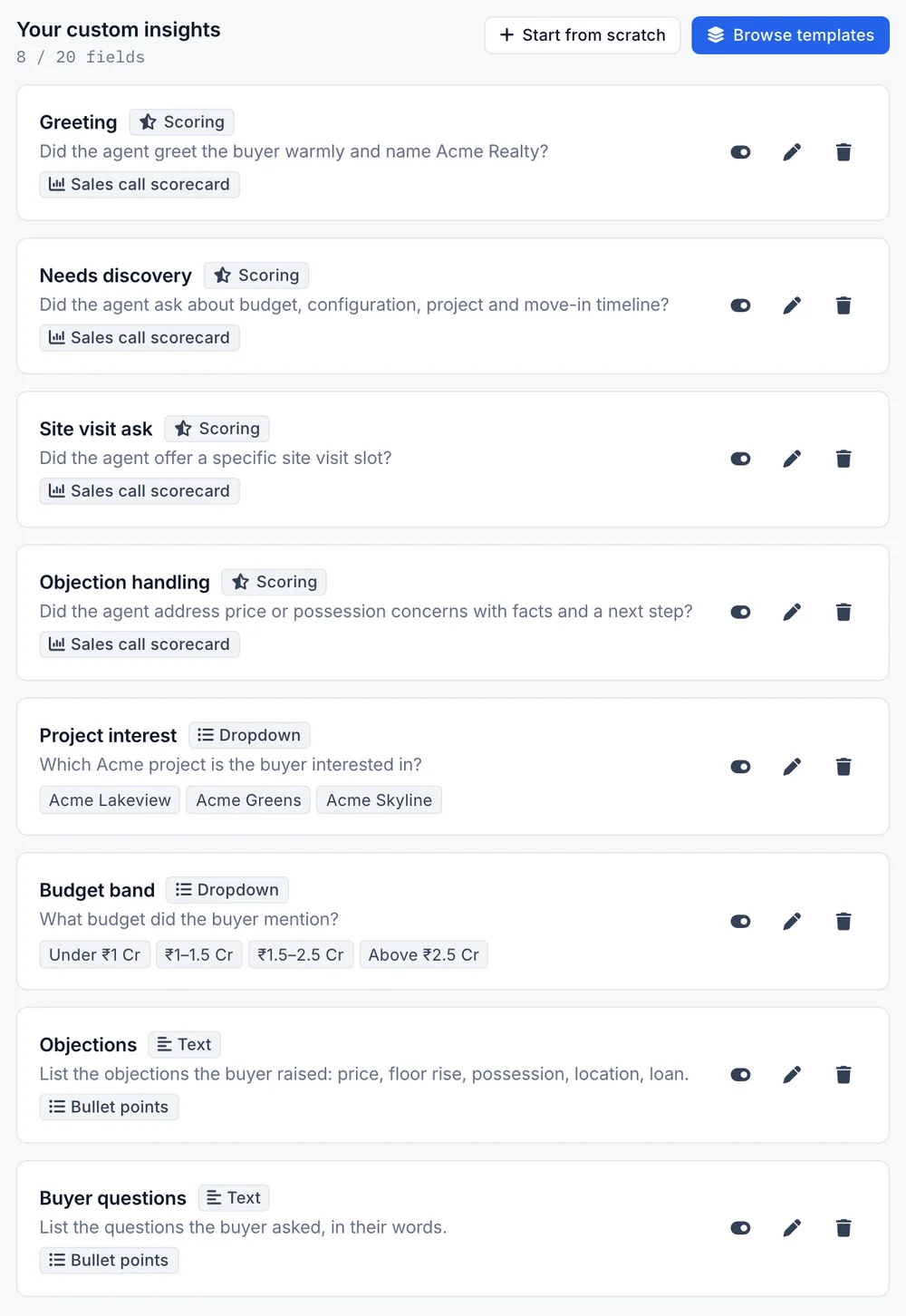
Themes
Intelligence
The objections and questions that keep coming up, and how call quality is trending week by week.
Learn more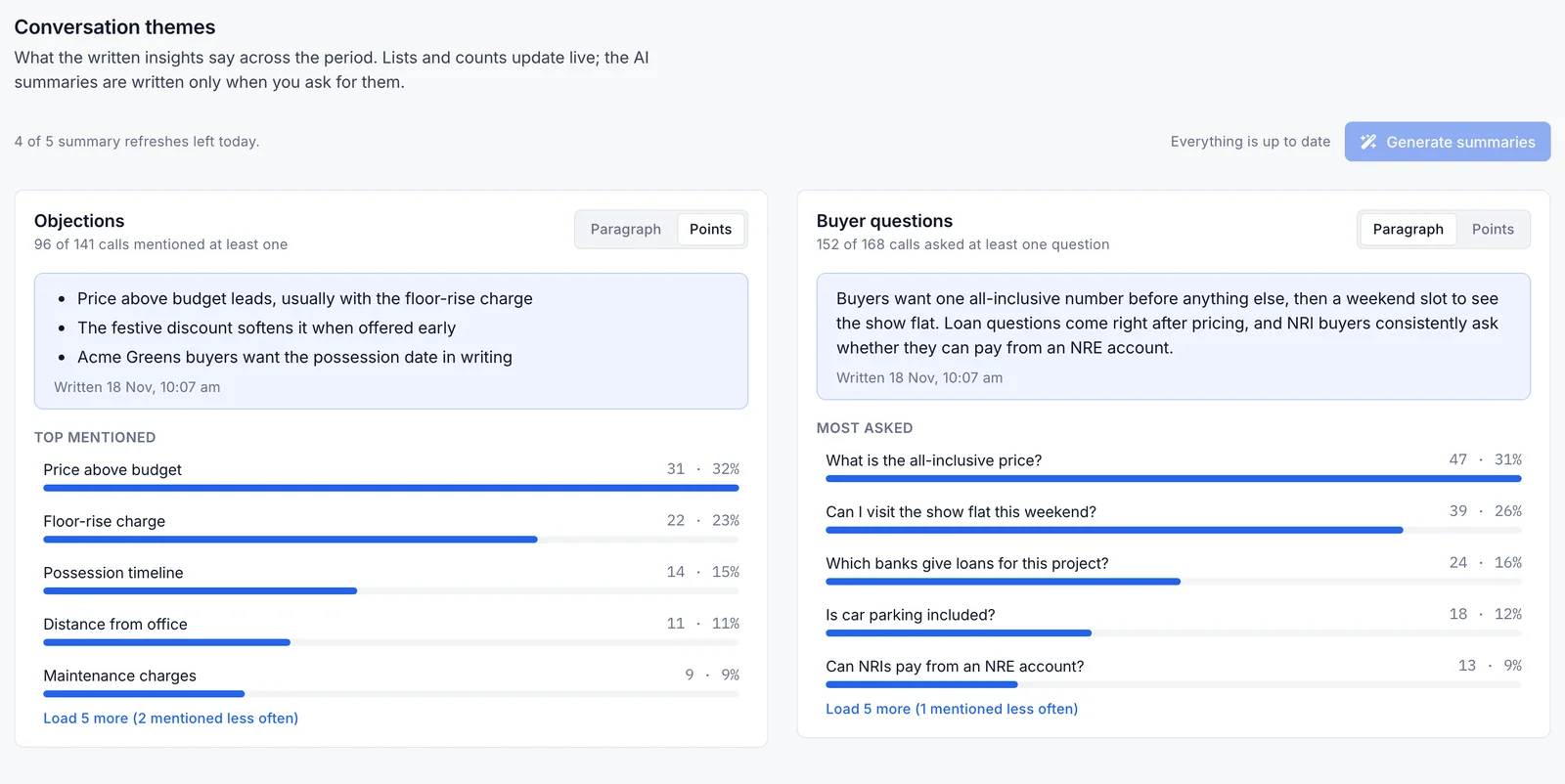
Notifications
Alerts and email briefs
Slack alerts for missed and priority calls, and a daily, weekly or monthly brief in every inbox.
Learn more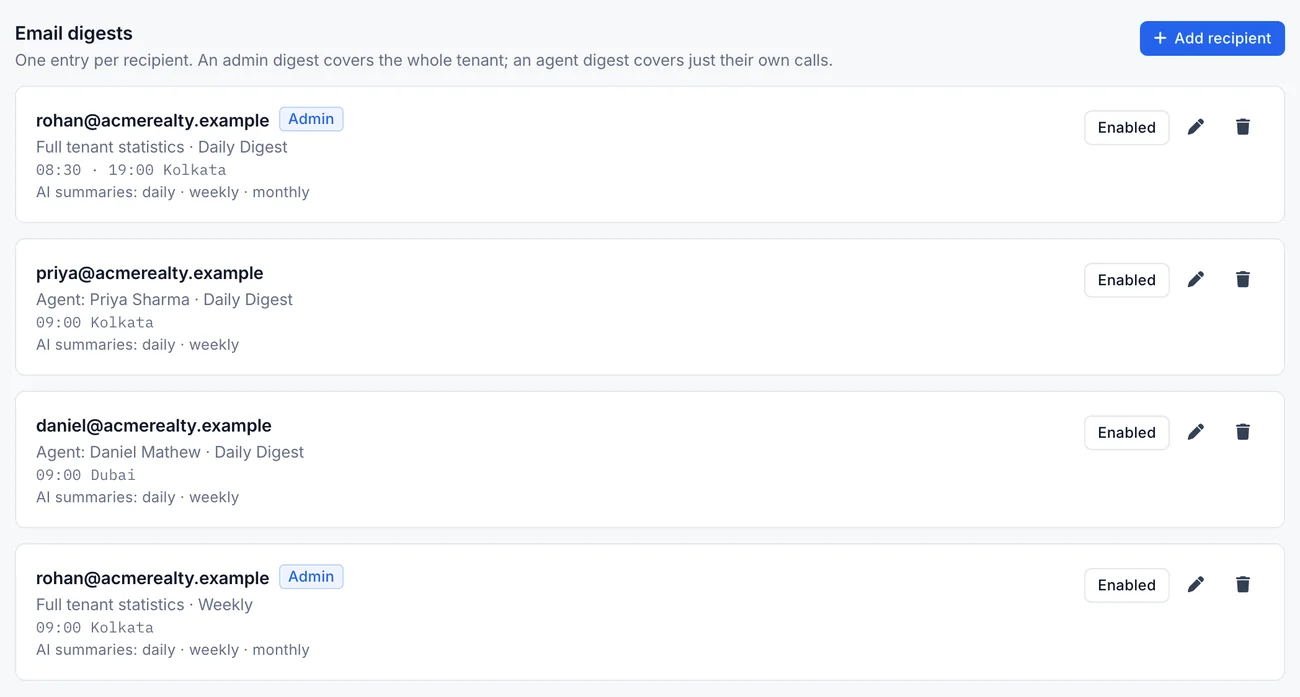
See it in action
CallVibe Omnichannel in 90 seconds
Calls, WhatsApp, email and meetings in one workspace, shown in the real app.
Industries
Set up for the way your industry talks to customers
Start from ready-made insight templates for your industry, then make them your own.
Real estate
Every enquiry and site visit followed up
See howInsurance
Quotes and renewals that don’t go quiet
See howFinancial services
Know which leads are qualified and what was agreed
See howHospitals and clinics
Every appointment request gets a callback
See howSchools and admissions
Every admission enquiry answered
See howRecruitment
Candidates and clients kept warm
See howAutomotive
Test drives and trade-ins followed up
See howB2B & SaaS
Deals with clear next steps
See howBuilt for busy customer teams
Made for phone-first, WhatsApp-first businesses
Trust
Built for conversations you can’t afford to leak
Your data stays separate
Each business’s data is isolated at the database level. Agents only see the calls mapped to them.
Recordings stay private
Call audio is stored privately and plays back through secure links that expire after an hour.
Nothing goes to your customers
CallVibe reads conversations. It doesn’t send WhatsApp messages, emails or calls for you.
FAQ
Questions teams ask before they start
Do I need to replace my CRM?
No. CallVibe has contacts and a pipeline built in, and it also pushes call outcomes to GoHighLevel and LeadSquared after every call. Many teams use both.
Which phone systems work with CallVibe?
Smartflo (Tata Tele), Exotel, Kaleyra, 8×8, Zadarma, RingCentral, Zoom Phone, Bonvoice, Callyzer, SalesTrail and MobileCRM. Anything else can send calls through our webhook, or you can upload recordings. See all integrations.
Will CallVibe message my customers?
No. CallVibe reads and organises conversations. When you ask the assistant for a reply, it writes a draft for you to copy and send yourself. Any change it suggests inside CallVibe waits for your approval.
What languages does it understand?
Calls in many languages, including calls that switch between languages mid-conversation. Every call is transcribed and summarised in English.
How does CallVibe know two conversations are the same person?
It links them automatically only when an identifier matches exactly: phone number, email address or WhatsApp ID. Anything less certain goes to a clean-up queue, where an owner decides. Merges can be undone.
How is CallVibe priced?
Pricing is tailored to your team: how many people use it, how many conversations you want analysed and which channels you connect. Start with a 14-day trial, or talk to us for a quote.
See CallVibe on your own conversations
Book a 30-minute walkthrough with our team, or start a 14-day free trial and connect your phone system yourself.